All features

Cloudesk Accounts

Books that keep themselves.

Your invoices, store and counter sales, goods received, stock adjustments and payroll post to a proper double-entry ledger as they happen. Add supplier bills and expenses, import your bank statement to reconcile, lock filed periods, and read your profit and loss, balance sheet and GST returns whenever you like.

Accounts on a phone

Real screenshots from Cloudesk Accounts in the demo workspace: its 120 entries were posted from the workspace's own invoices, counter sales, goods received and September payroll; the bills, expenses and October bank statement were added through the app for the tour.

How it works

Three steps, no surprises

  1. 1

    Switch it on

    A chart of accounts built for Indian businesses is ready, with your GSTIN and state taken from invoicing. Everything already in Cloudesk is posted the first time you open it.

  2. 2

    Add what's missing

    Rent, utilities, professional fees and other bills; expenses paid on the spot; owner's capital and opening balances by journal.

  3. 3

    Check and close

    Import the bank statement and match it; look at the P&L, balance sheet and GSTR-3B; lock the month once it's filed.

The tour

Every tool, up close.

  1. 01Home

    Where your money stands, today.

    Cash and bank, what customers owe and what you owe suppliers (with what's overdue), profit for the month and the year, six months of income and costs, and your GST position.

    • Keeps itself up to date
    • Overdue money flagged
    • Anything that couldn't be posted is listed
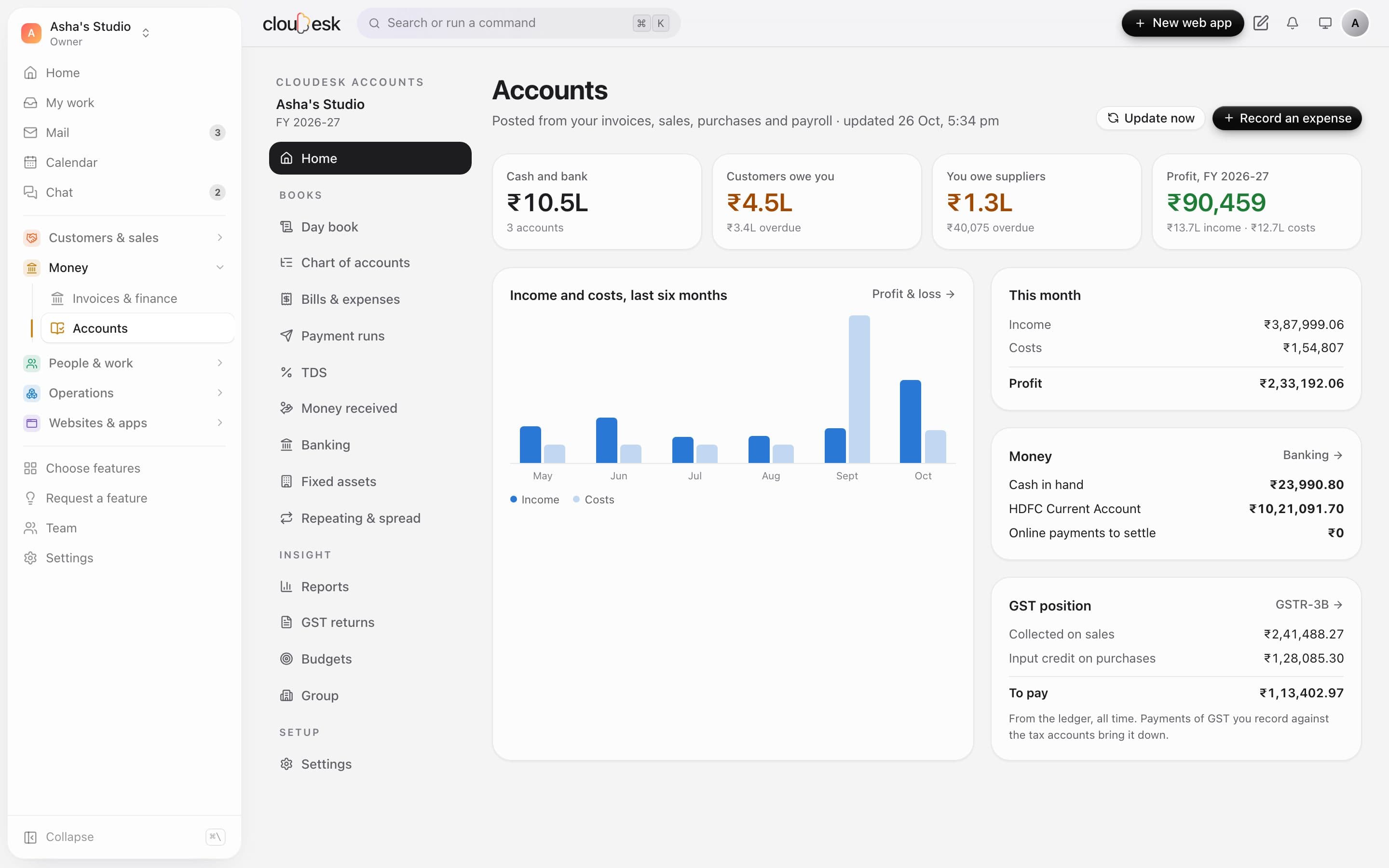
    The accounts home
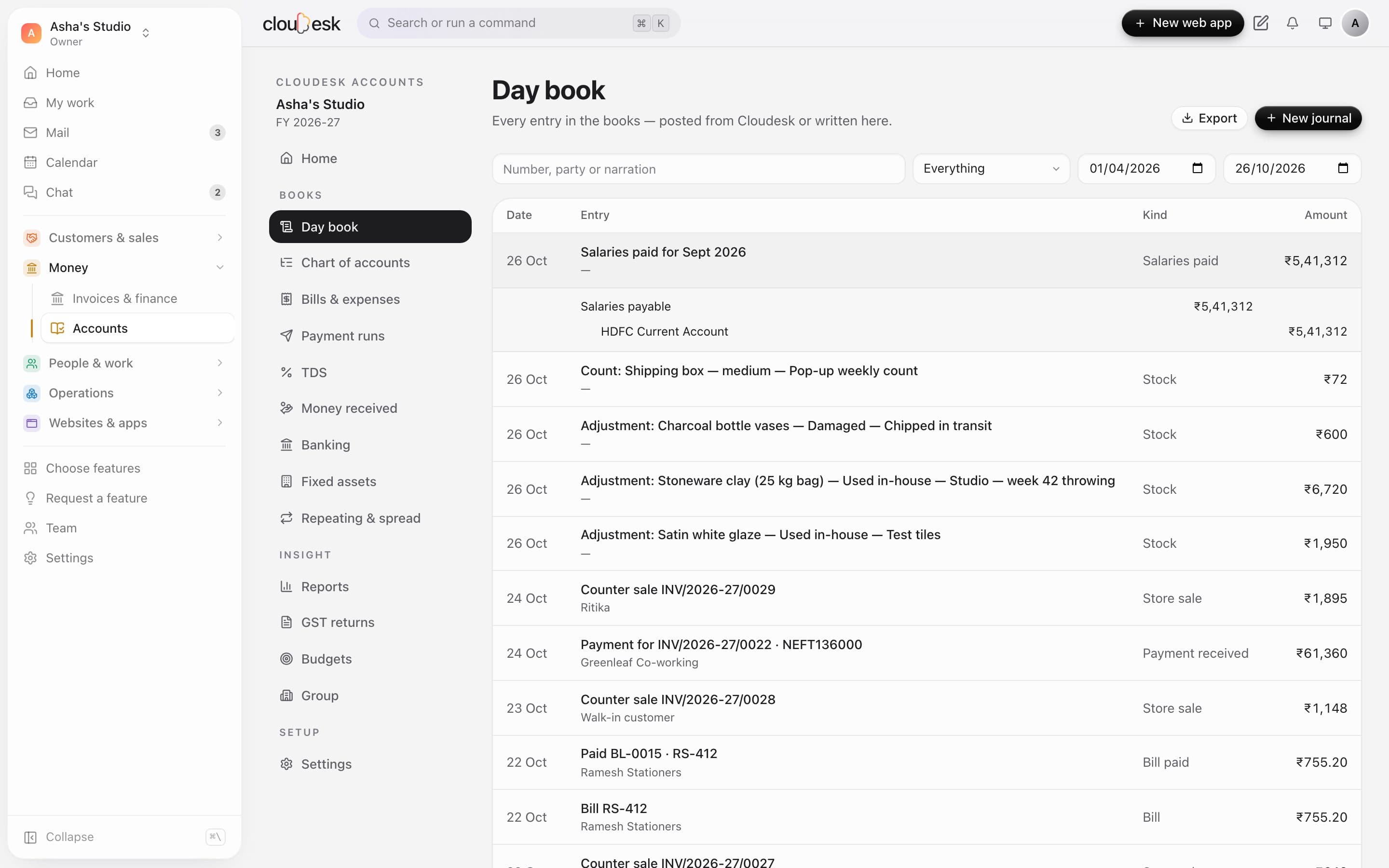
  2. 02Day book

    Every rupee, in double entry.

    Every journal — from an invoice, a sale, a bill, a stock count or payroll, or written by hand — with its debits and credits. Search, filter by kind and date, and open any account's ledger.

    • Balanced, always
    • Manual and opening journals
    • Ledgers with running balances
    The day book with a salary payment opened
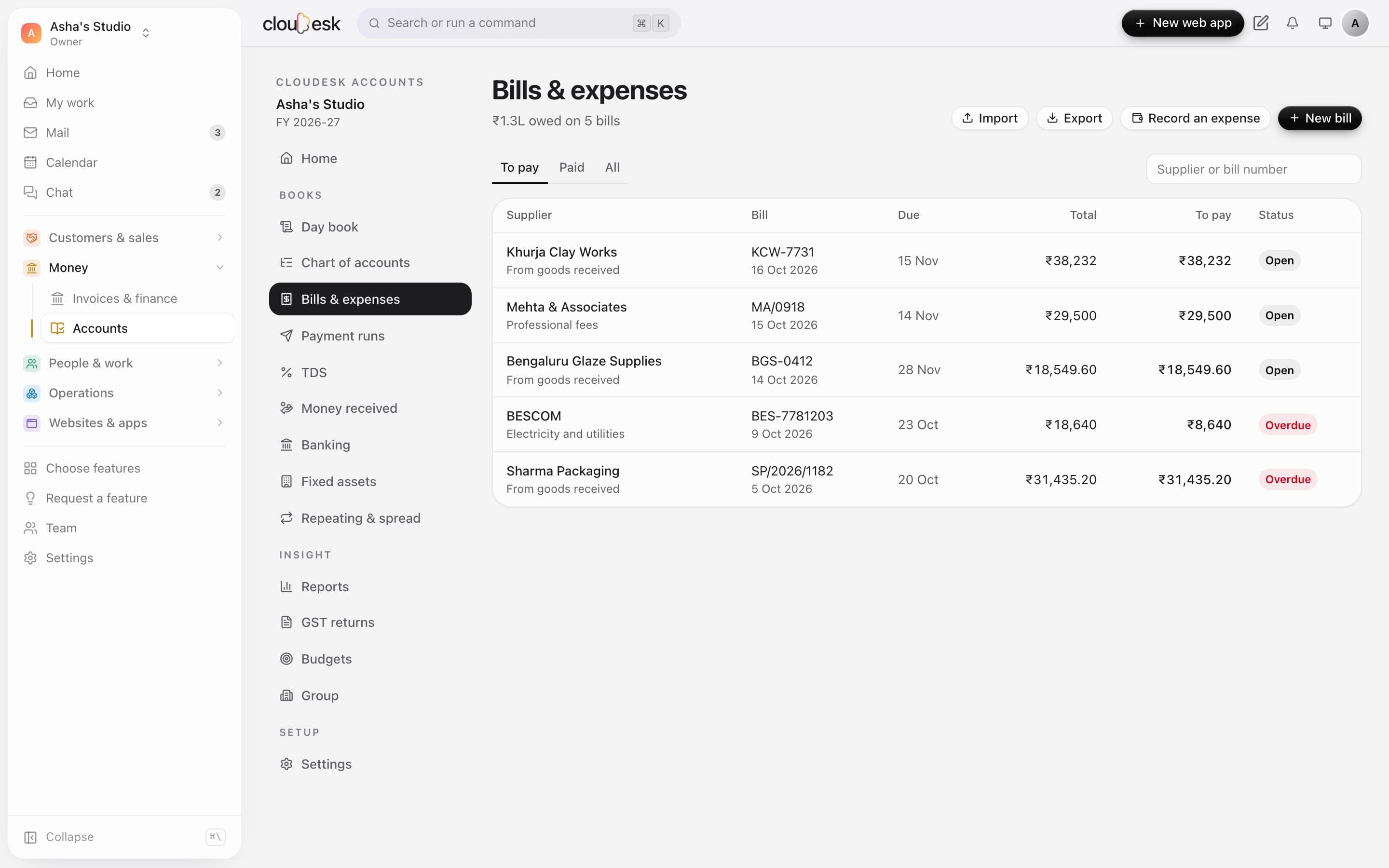
  3. 03Bills & expenses

    Know what you owe, and when.

    Supplier bills with due dates and input GST, part payments from bank or cash, and expenses recorded and paid in one step. Goods received in Inventory turn into bills on their own.

    • CGST + SGST or IGST
    • Input credit on or off per bill
    • Overdue bills flagged
    Bills to pay, two overdue
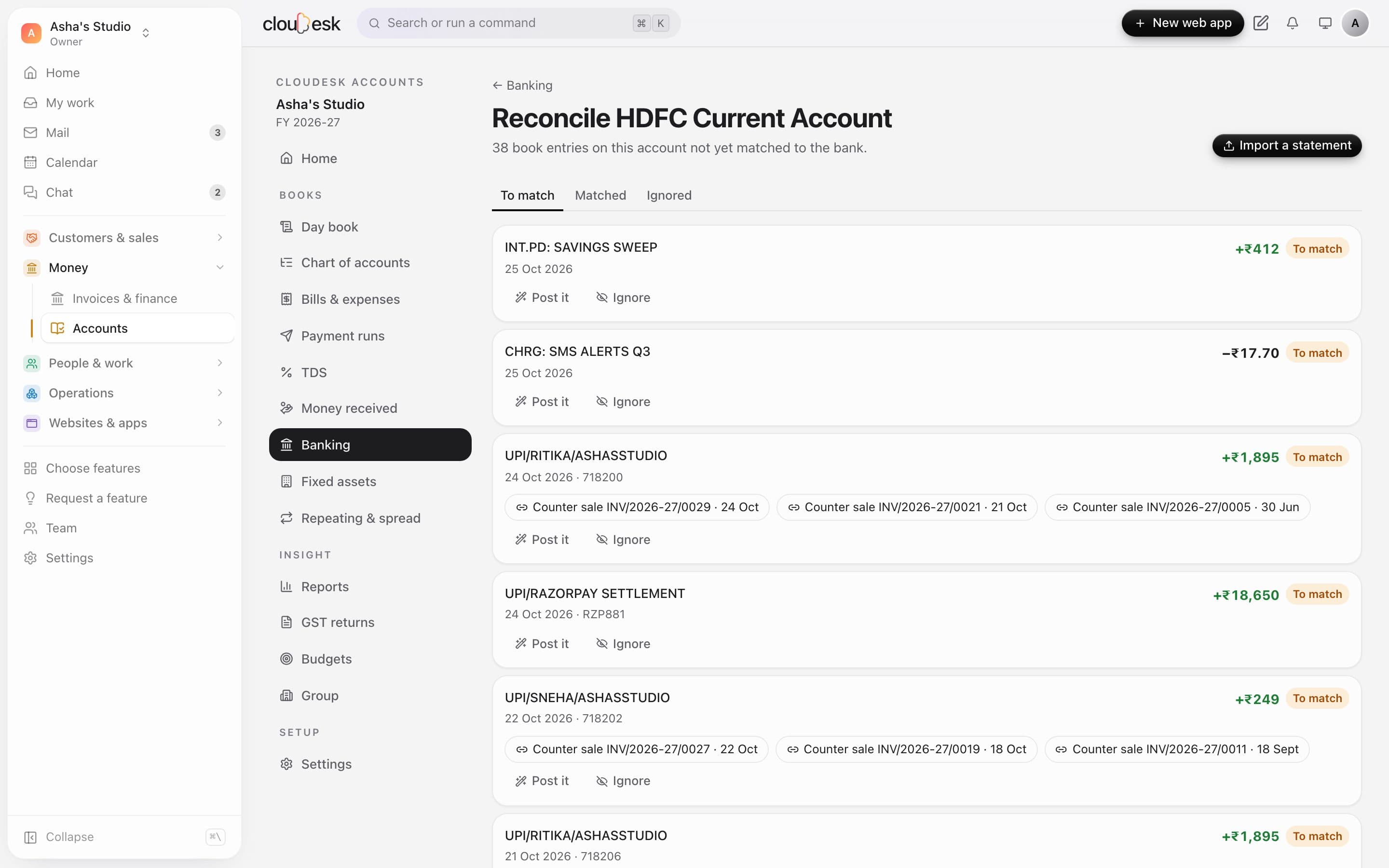
  4. 04Bank reconciliation

    Your books, checked against the bank.

    Import the statement CSV from net banking. Lines with one clear match are matched for you; the rest show suggestions, or you post bank charges and interest straight from the line.

    • Indian date formats and debit/credit columns
    • Re-importing skips what's already there
    • Matched entries are protected from changes
    Statement lines with suggested matches
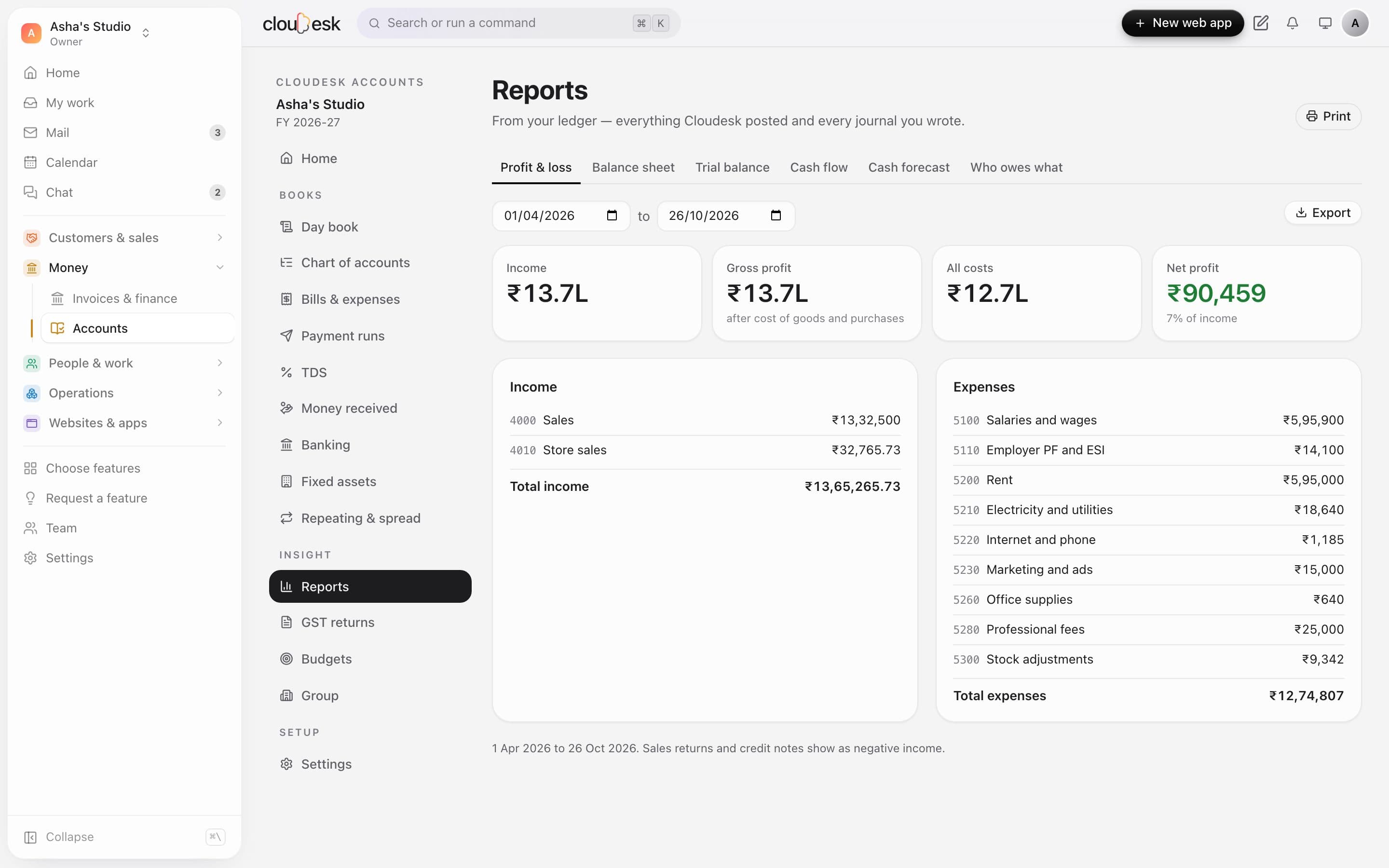
  5. 05Profit & loss

    Profit, for any period you pick.

    Income and expenses by account, gross and net profit, and profit as a share of income — for the financial year, a quarter, a month or any dates.

    • Financial year from April
    • Sales returns reduce income
    • Click through to the ledger
    Profit and loss for the year so far
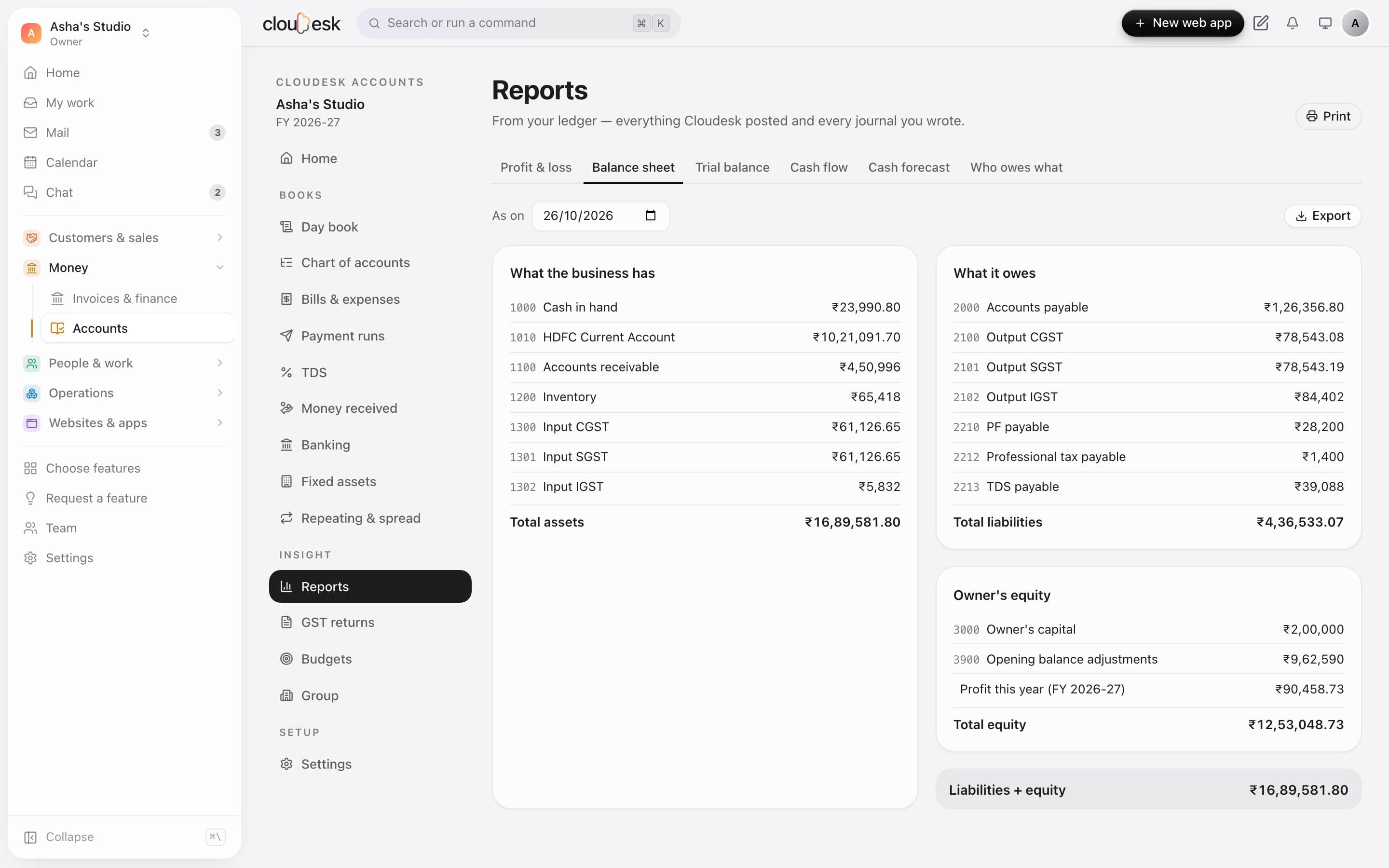
  6. 06Balance sheet

    A balance sheet that balances.

    What the business has, what it owes and the owner's equity — with profit from earlier years and this year carried in — on any date.

    • Assets = liabilities + equity, checked
    • Trial balance alongside
    • Print or save as PDF
    The balance sheet
  7. 07GSTR-1

    Your sales, in GSTR-1's sections.

    B2B invoices by GSTIN, large inter-state sales, consumer sales by state and rate, credit notes and the HSN summary — from invoices and store and counter sales together.

    • Invoices and store sales together
    • HSN summary
    • CSV for each section
    GSTR-1 for October
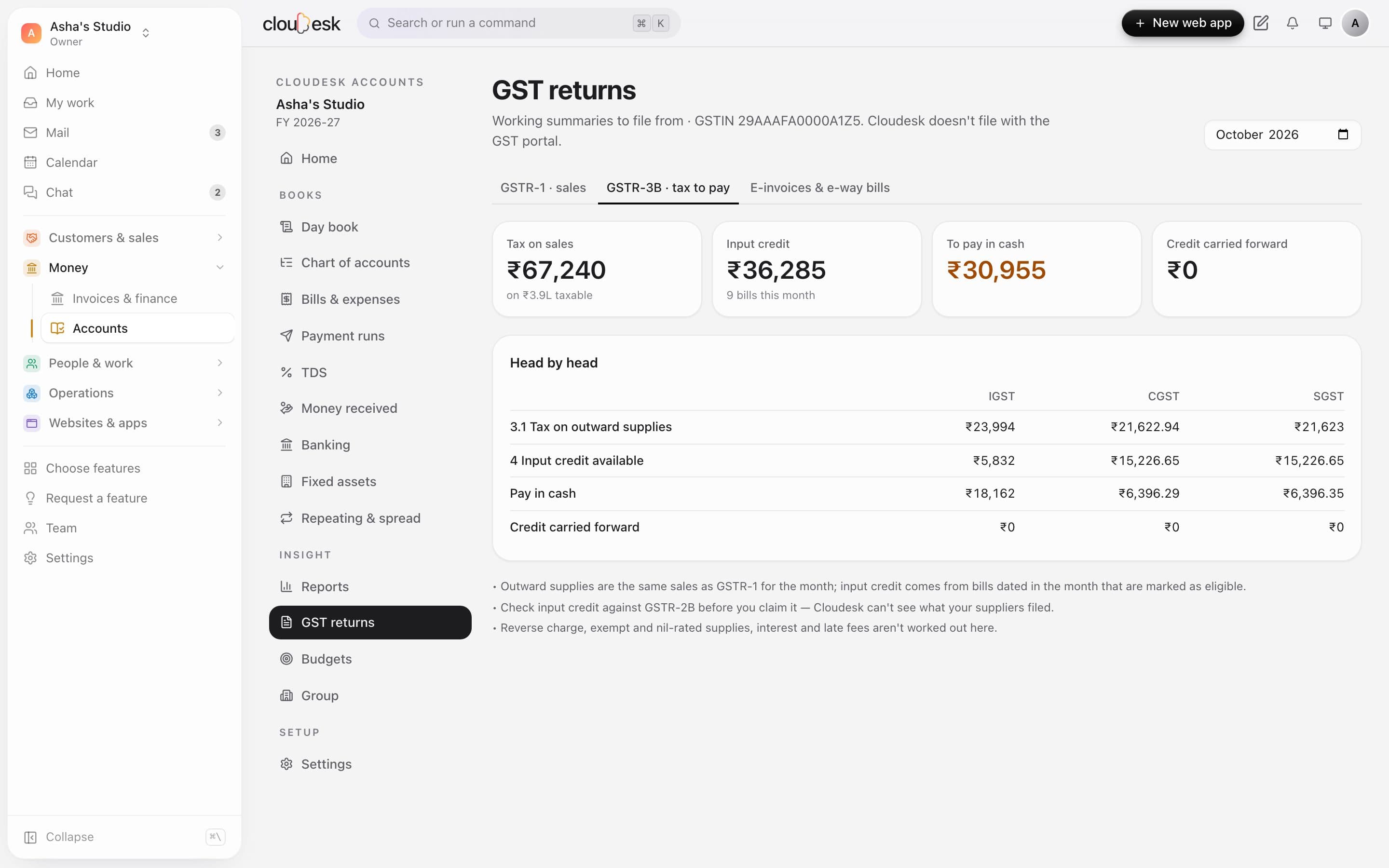
  8. 08GSTR-3B

    The tax to pay, worked out head by head.

    Tax on sales, input credit from your bills, and the set-off in the right order — IGST credit first — so you see what's payable in cash and what carries forward.

    • IGST, CGST and SGST set-off
    • Ineligible credit kept out
    • Notes on what to check before filing
    GSTR-3B with the set-off
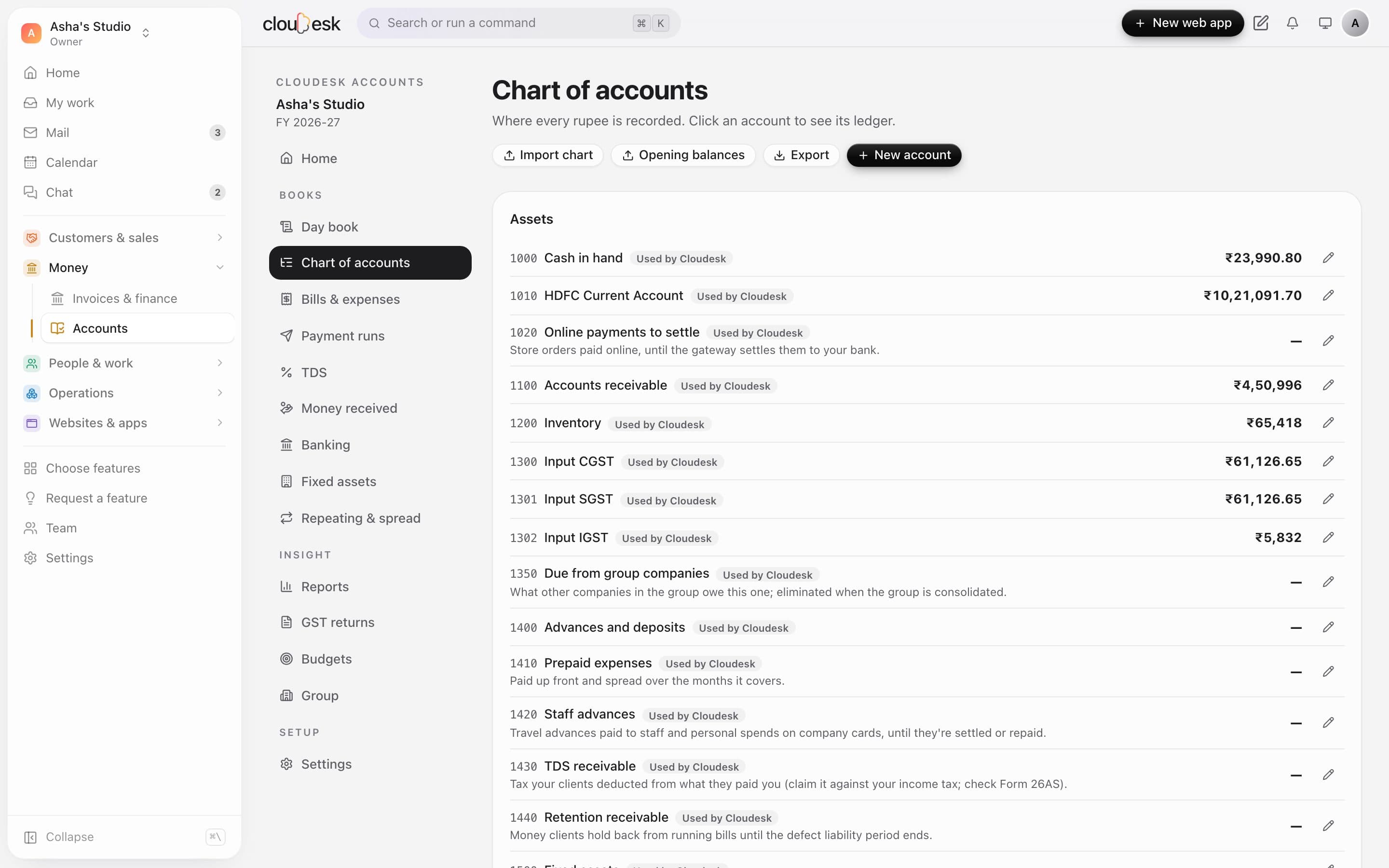
  9. 09Chart of accounts

    Accounts that fit an Indian business.

    Bank and cash, receivables, inventory, input and output GST, PF, ESI, PT and TDS payables, sales, cost of goods and the usual expenses — ready to rename and add to.

    • Your own codes and names
    • Bank accounts with IFSC
    • Accounts Cloudesk posts to are marked
    The chart of accounts with balances
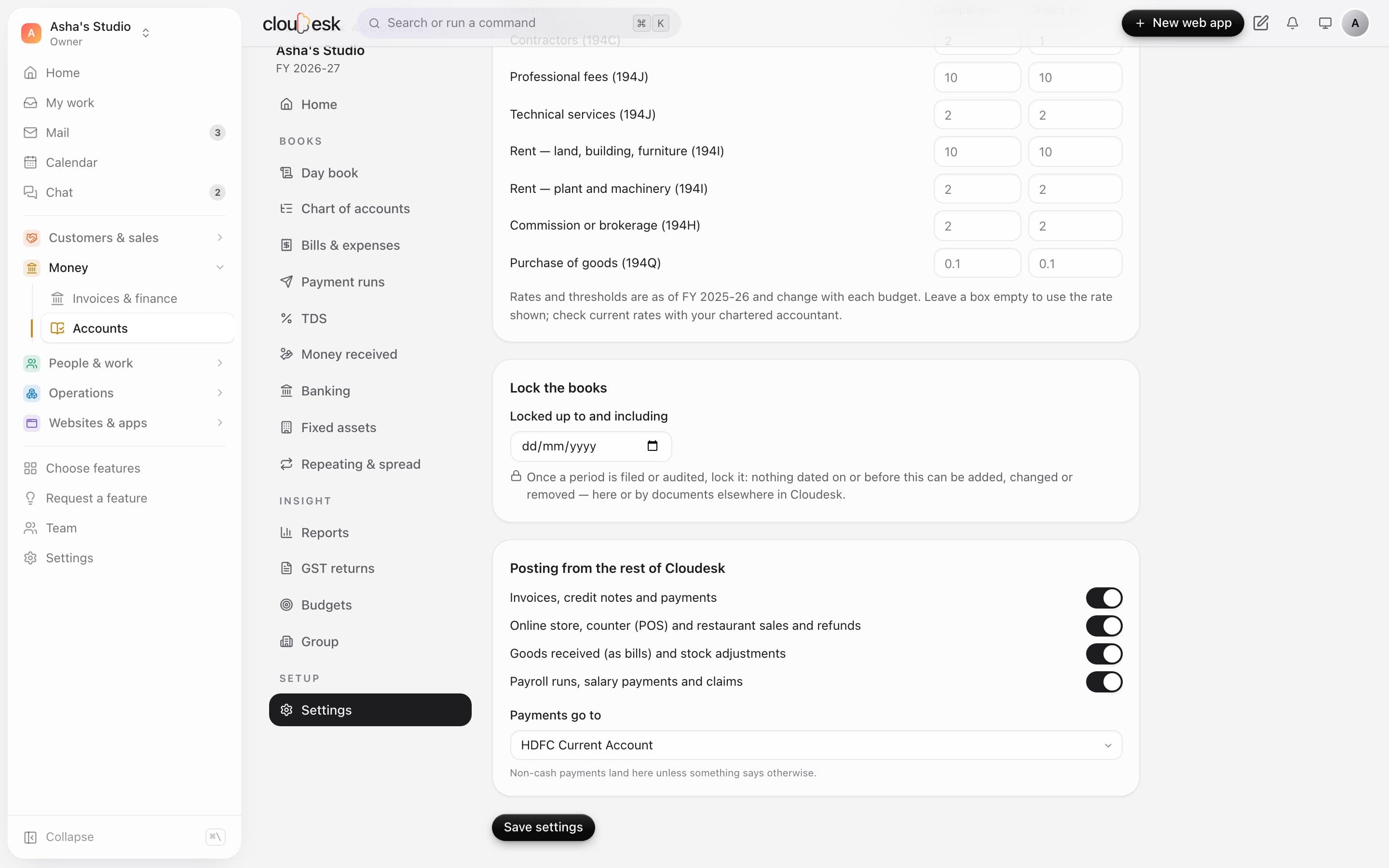
  10. 10Control

    Lock a period once it's filed.

    Set a lock date and nothing on or before it can change. Choose what posts by itself, where payments land, and when your financial year starts.

    • Lock date
    • Posting switches by area
    • Financial year start
    Accounting settings with the lock date

In detail

What you get with Cloudesk Accounts

Posted from everything you do

Invoices and credit notes, payments, online and counter sales and refunds, cost of goods for stock-tracked products, goods received, stock adjustments, payroll and claims — each becomes a balanced journal, and changes or cancellations follow.

Good to know

We'd rather be upfront than surprise you later:

  • GST returns are working summaries to file from — Cloudesk doesn't file with the GST portal, and input credit should be checked against GSTR-2B.
  • Bank statements are imported from CSV files; there's no live bank feed.
  • Invoices and orders in other currencies aren't posted automatically — they're listed so you can post them at the rupee value you received.
  • Online store payments sit in “Online payments to settle” until you record the gateway's payout to your bank.
  • Fixed-asset depreciation, TDS on bills, e-invoicing (IRN) and e-way bills aren't worked out yet.

Questions people ask

Do I have to enter my invoices again?+

No. Accounts reads what's already in Cloudesk — invoices, payments, store and POS sales, goods received and payroll — and keeps the ledger in step every 15 minutes and whenever you open it.

What if I change or cancel an invoice later?+

Its entry is updated or removed on the next update — unless that period is locked or the entry is matched to a bank statement, in which case it's listed as not posted so you can decide.

Can I bring balances from Tally or another system?+

Yes. Write an opening-balance journal for the date you start, with each account's balance; after that, Cloudesk posts as you go.

Does it need the Invoices & finance module?+

Yes — accounting is built on it, so switching on Accounts switches invoicing on too.

Is the GST return ready to upload?+

It's laid out in the return's sections with CSV exports, which your accountant or GST software can use. Cloudesk doesn't produce the portal's JSON or file for you.

Works beautifully with

Give it a spin — it's free to start.

Next up: Cloudesk Inventory →

Start free