All businesses

Cloudesk for restaurants & hotels

Tables, kitchen, rooms and bar — on one screen.

Cloudesk for Horeca runs service end to end: QR ordering at every table, a kitchen display, GST bills, room bookings with folios, bar stock to the millilitre and valet parking.

POS
The full-screen POS with a table's ticket

Real screenshots of Cloudesk, from demo businesses.

What changes

Less juggling. More running the place.

Waiters run orders to the kitchen on paper
Orders land on the kitchen display, by station
Room service gets forgotten at checkout
Charged to the room and on the folio automatically
Bottles disappear and nobody knows where
Every peg deducted; counts show what's missing

A day with Cloudesk

How a restaurant or hotel actually uses it.

Every screen below is the real app.

  1. 0111:45 · Till opens

    Staff unlock the POS with their own PIN.

    A full-screen POS for dine-in, takeaway, delivery and room service. Type a dish's short code, send the KOT and take payment; cancelling a dish waits for a manager's PIN.

    • Open the till with a float
    • Short codes and covers
    • Manager approval for voids and discounts
    The full-screen POS with table T4's ticket
  2. 0212:00 · Lunch service

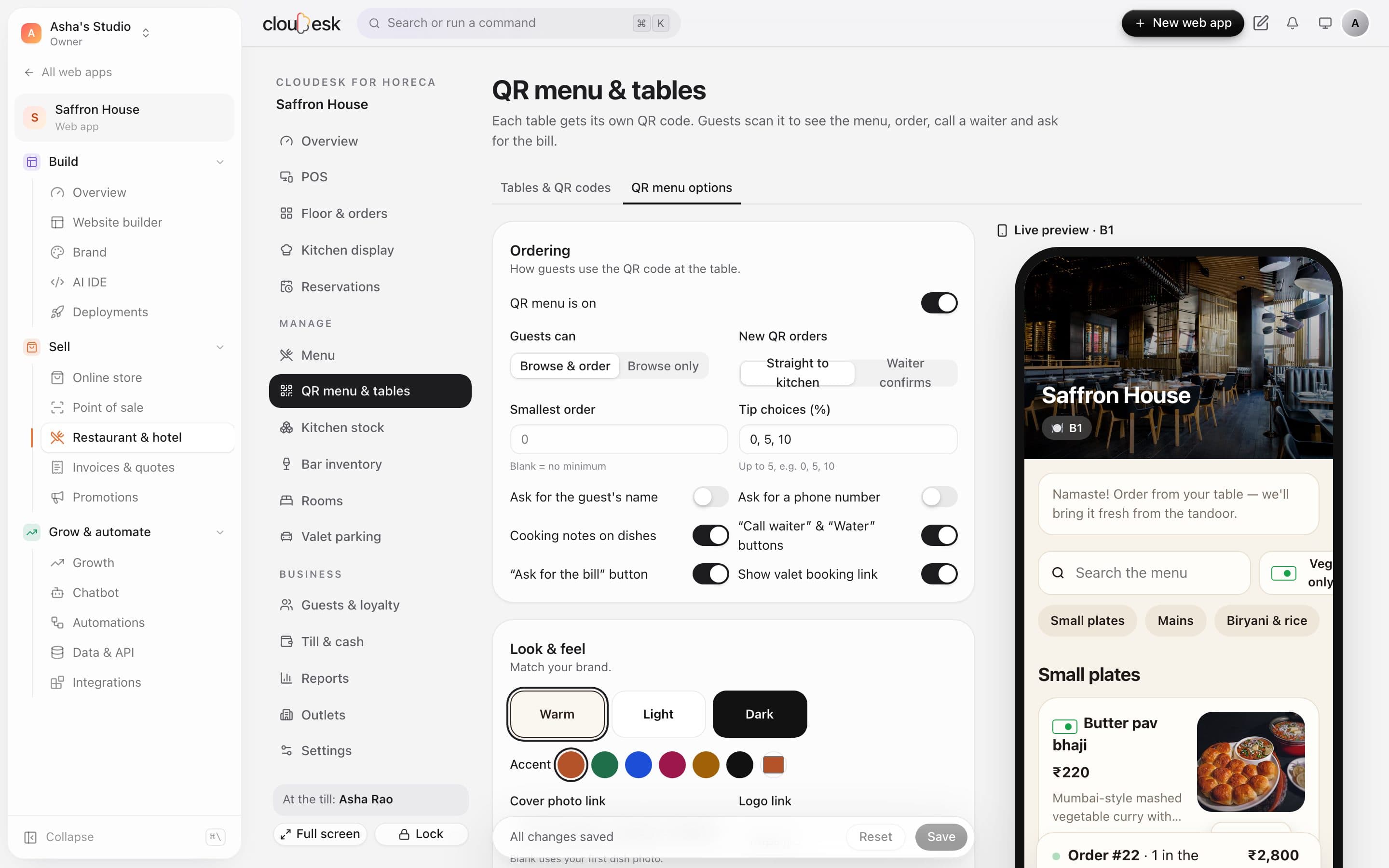
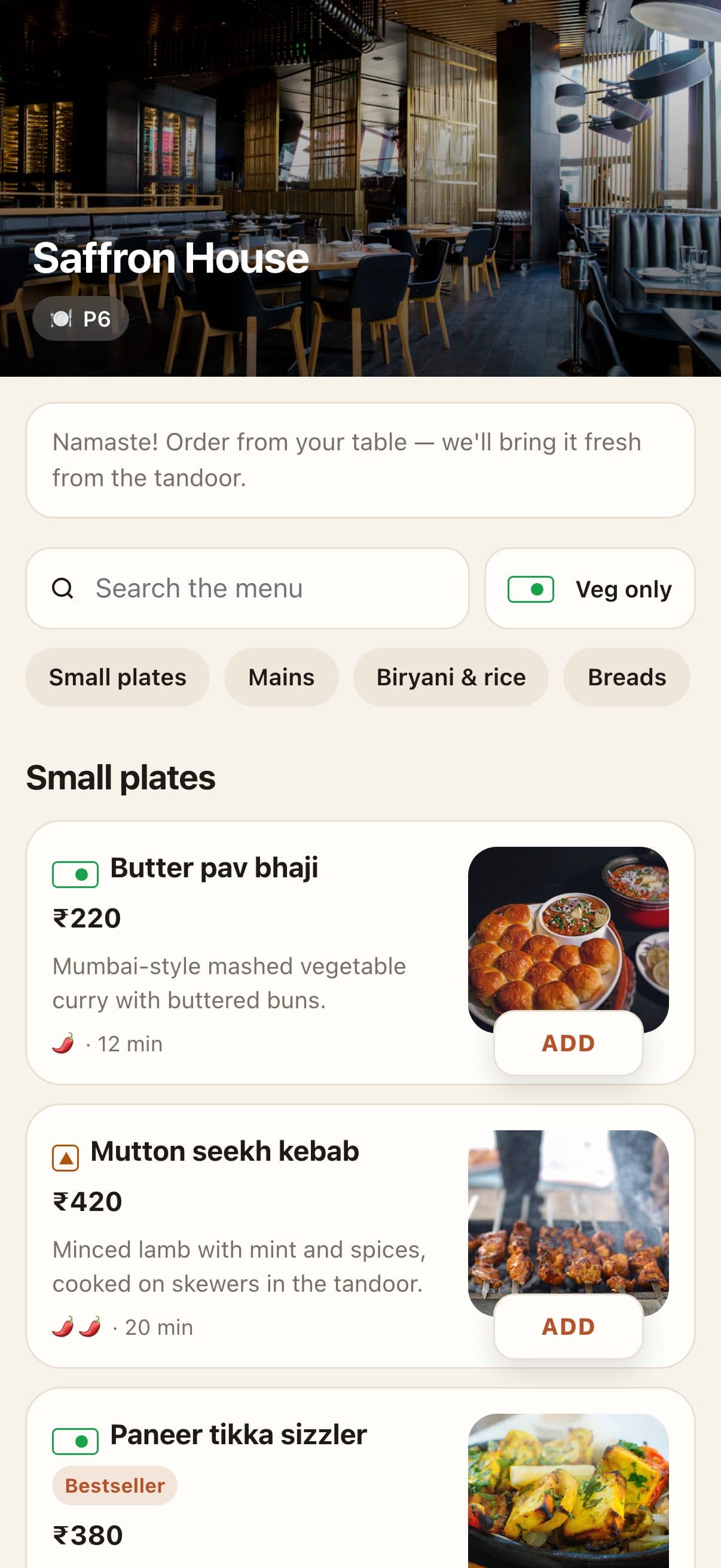
    Guests scan, order and ask for the bill.

    Each table has its own QR. Orders go straight to the kitchen — or a waiter confirms them first.

    • Auto or waiter-approved
    • Live order tracking
    • Your colours and tips
    QR menu options with a live phone preview
  3. 0313:00 · The floor

    Every table, live — down to who's calling.

    See what's cooking, what's ready and which table wants the bill. Split bills, add service charge, take UPI or charge it to a room.

    • Split and part payments
    • GST and service charge
    • Charge to room
    The floor plan with table T5's order open
  4. 0413:15 · Kitchen

    Tickets by station, timed to the minute.

    Kitchen, tandoor, bar and desserts each see their own tickets. Late ones turn red.

    • Bump a ticket or a dish
    • Full screen for a kitchen TV
    • Optional chime
    Kitchen tickets with station and timer
  5. 0515:00 · Check-ins

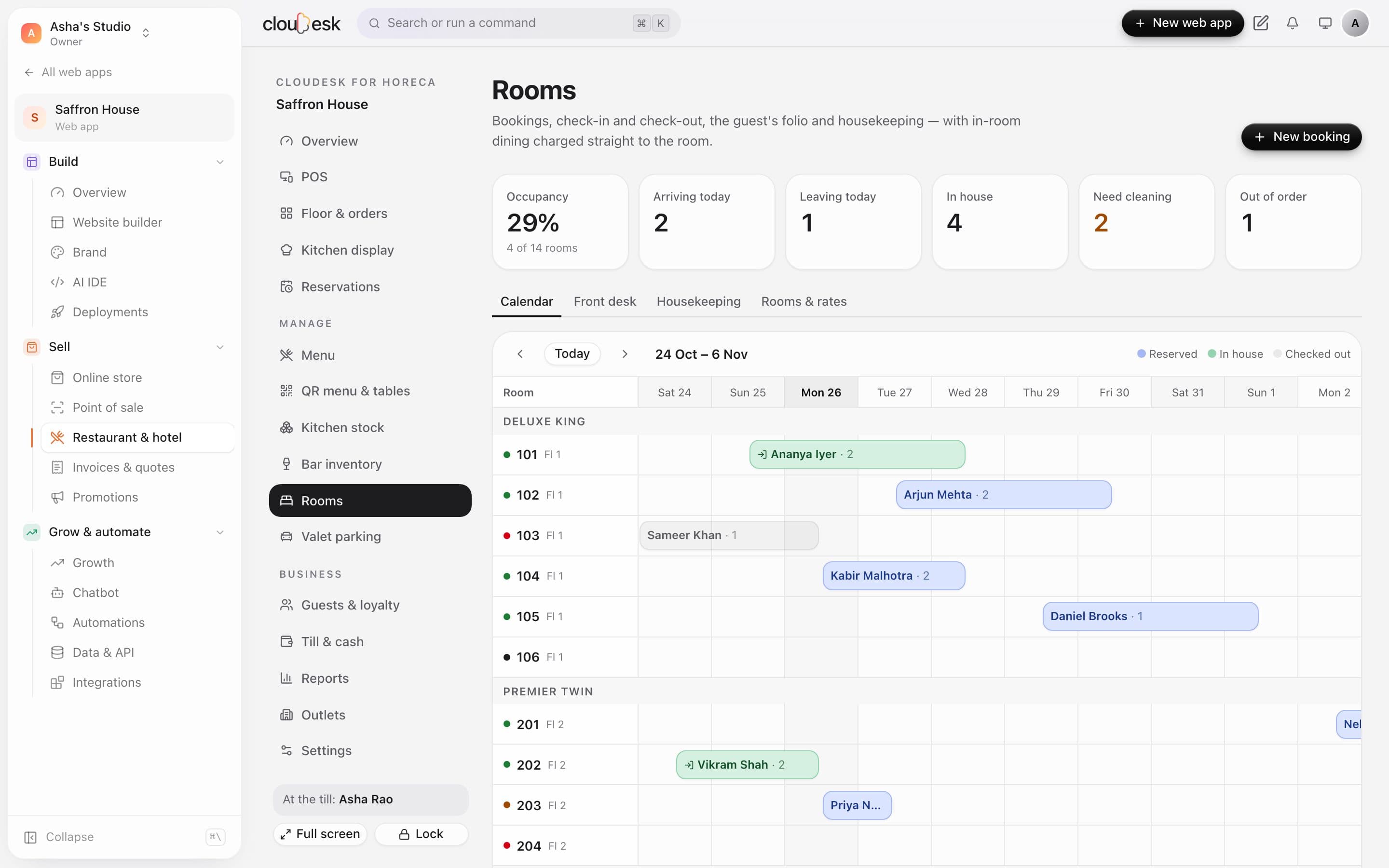
    Bookings, check-in and the guest's folio.

    A calendar of every room, availability by type, and one folio with nights, room GST, extras and room service.

    • Check-out warns while money is due
    • Housekeeping board
    • Printable folio
    The room booking calendar
  6. 0623:30 · Closing count

    Count the shelf. See what went missing.

    Drinks deduct their pour from stock. Count at closing and see the variance in ml and money.

    • Purchases and wastage
    • Reorder levels
    • Every count kept
    A closing count with the variance
  7. 0723:45 · Going home

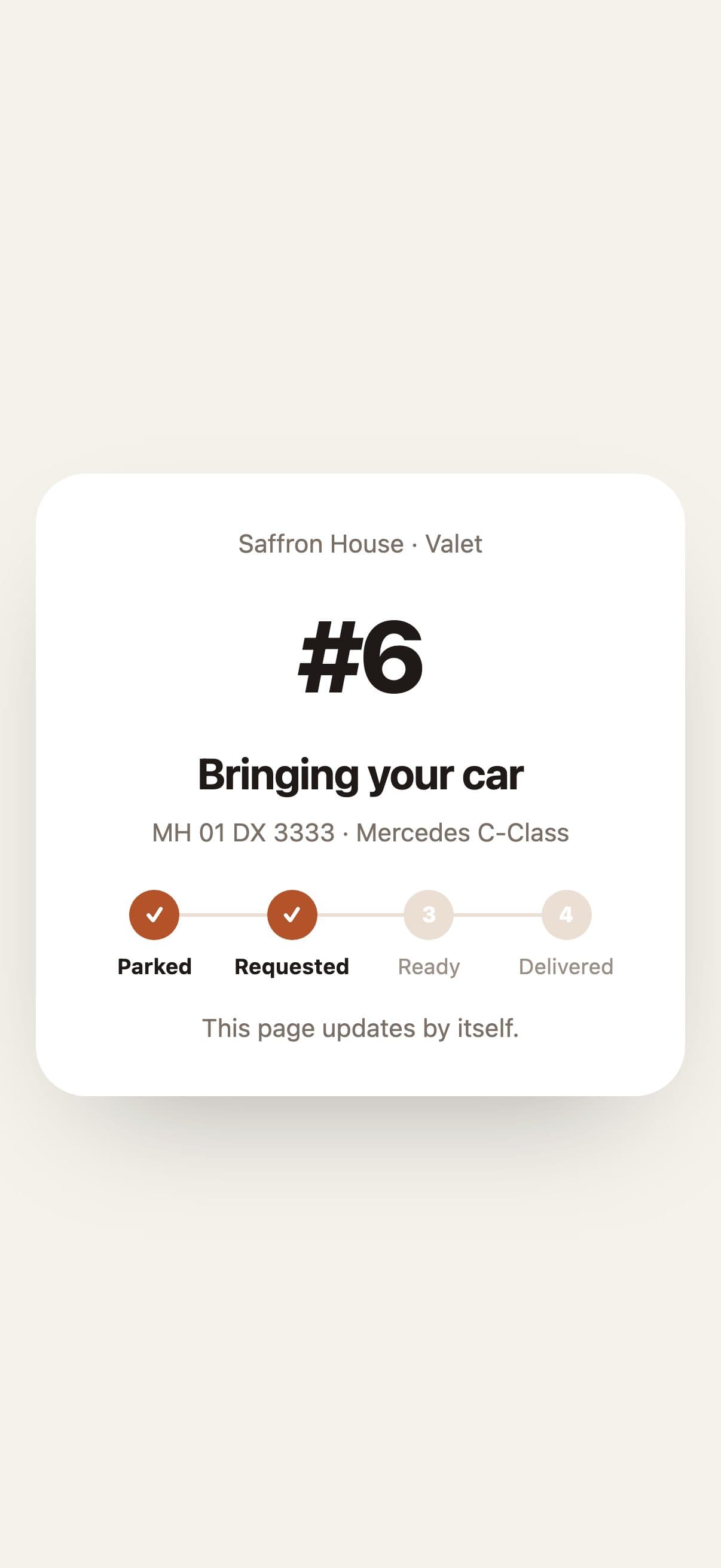
    “Bring my car” — from the guest's phone.

    Guests tap once when they're leaving and it jumps to the top of the valet board.

    • Tickets with slot and key tag
    • Pre-booking link
    • Free slots at a glance
    The valet board

Your toolkit

Switched on for you at sign-up.

Pick “Restaurants & hotels” when you sign up and your dashboard starts with exactly these. Add or remove any later.

Good to know

We'd rather be upfront than surprise you later:

  • Printing is from the browser — there's no direct link to thermal printers yet.
  • Room bookings don't sync with online travel agents yet.
  • Valet guests see updates on their page; there are no SMS alerts yet.

Questions owners ask

Do guests need an app?+

No. They scan the code and the menu opens in their browser.

We're a café without rooms — is it too much?+

Rooms, bar and valet are sections you simply don't use; switch them off in Settings → Features.

Can a waiter check QR orders first?+

Yes — turn on “Waiter confirms” and QR orders wait for a tap before going to the kitchen.

Made for other businesses too

Set up for your restaurant or hotel in 90 seconds.

Free to start. Next up: Salons & spas →

Start free