All businesses

Cloudesk for bakeries & cafés

From the oven to the counter to their door.

Take pre-orders online, bill the queue at the counter, let café guests order from a QR on their table — and turn first-time visitors into regulars with a welcome offer.

Welcome offer
A 10% off sign-up pop-up on The Bread Room's home page

Real screenshots of Cloudesk, from demo businesses.

What changes

Less juggling. More running the place.

Cake orders taken on the phone and scribbled down
Pre-orders online, paid in advance
A queue at the counter while you add up the bill
Tap the photo, take UPI, print the receipt
Café guests waving for the menu
They scan, order and ask for the bill from the table

A day with Cloudesk

How a bakery or café actually uses it.

Every screen below is the real app.

  1. 017:30 · First customers

    A welcome offer that brings them back.

    A gentle pop-up offers first-time visitors 10% off in return for their email. You see how many saw it and signed up.

    • Pop-ups, bars and offers
    • Codes made for you
    • Views and sign-ups, counted
    A 10% off pop-up on The Bread Room's home page
  2. 029:00 · The morning queue

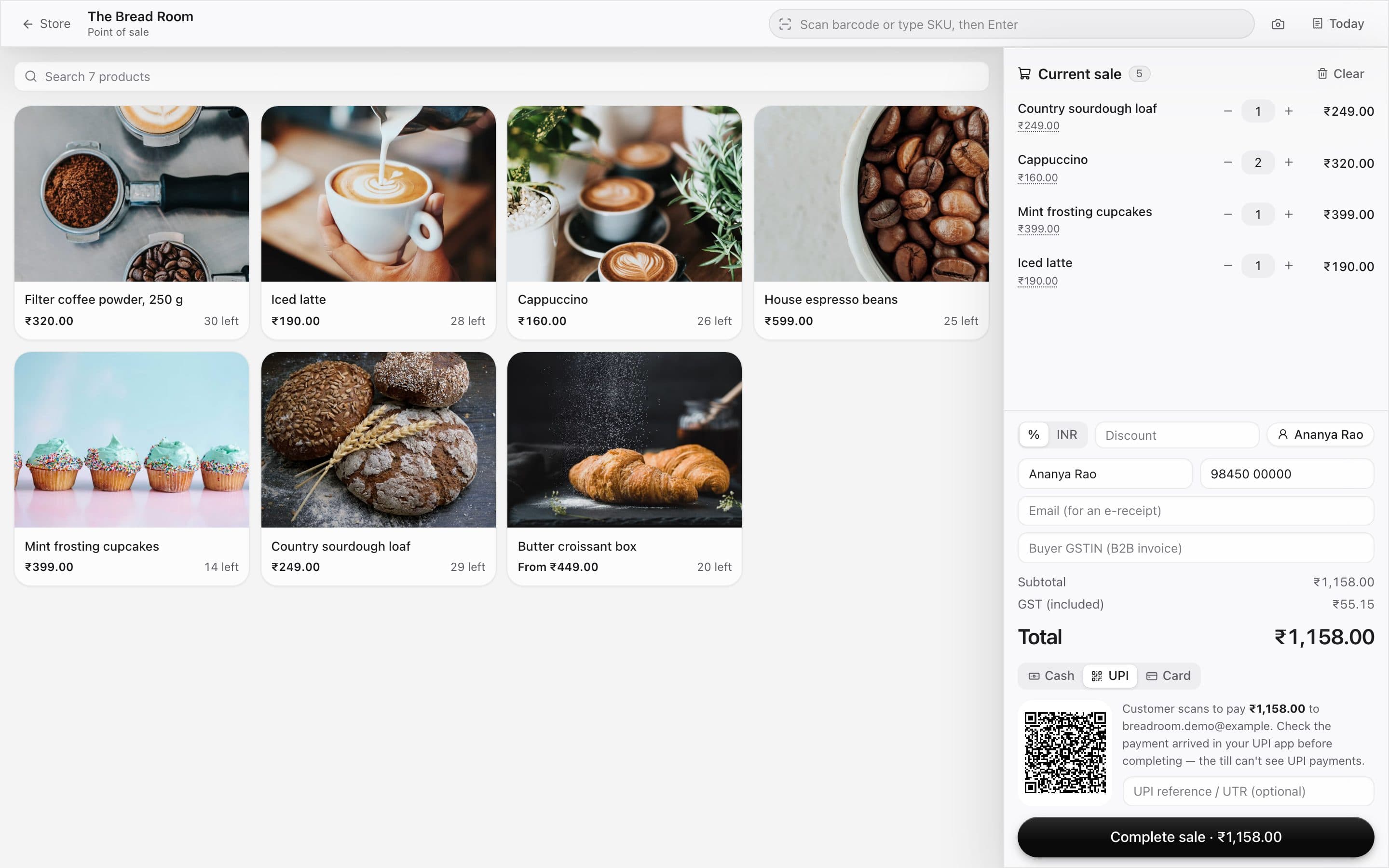
    Tap, take UPI, next please.

    Tap the product photos — or scan a barcode — and the customer scans a UPI QR for the exact amount. Change for cash is worked out for you.

    • Photo tiles for quick taps
    • UPI QR, cash and card
    • GST receipts
    The till with product photos and a sale in progress
  3. 0311:00 · Brunch tables

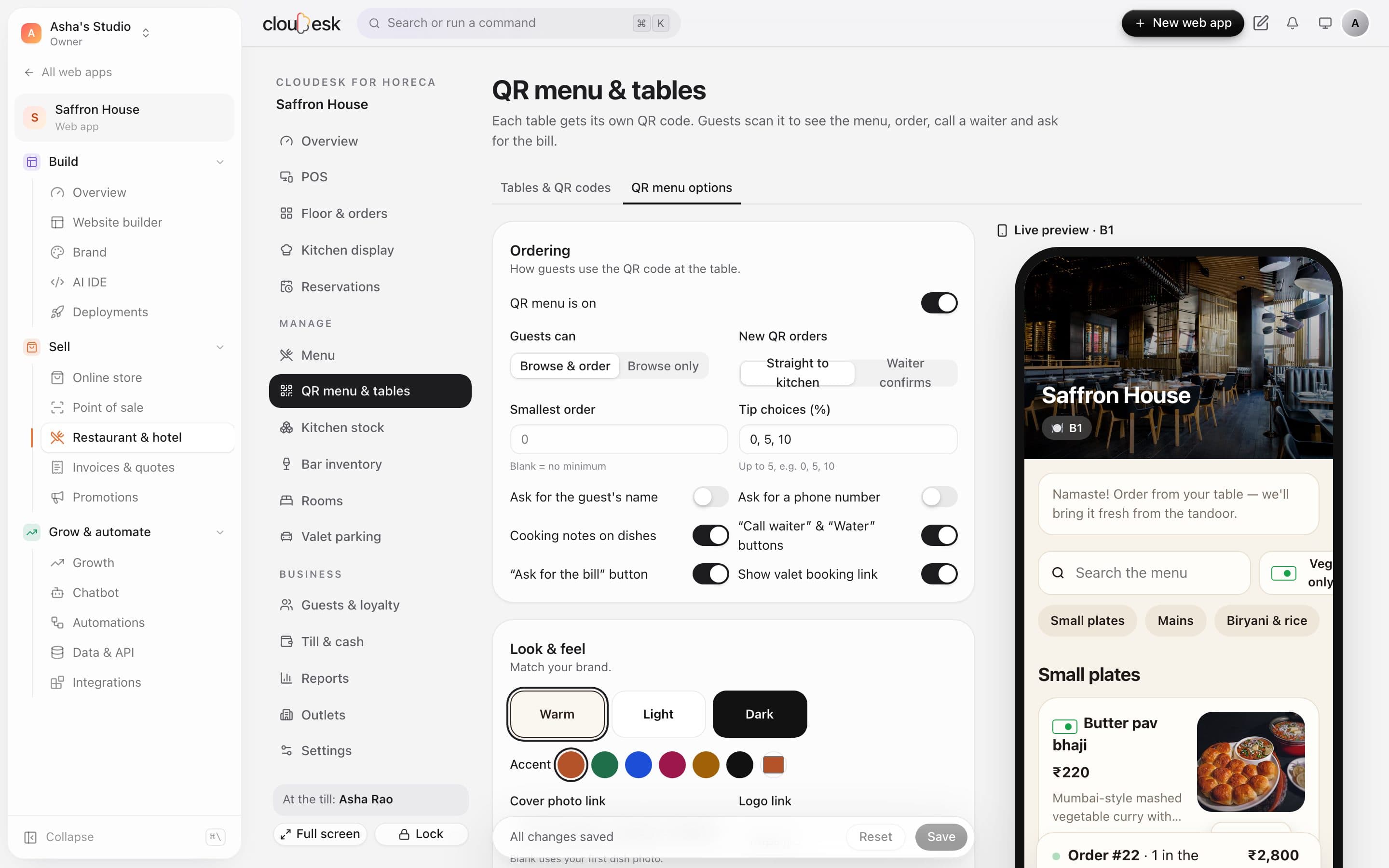
    Guests order from a QR on their table.

    Every table gets its own code. The menu opens on their phone with photos and veg marks; the order lands in the kitchen.

    • No app to download
    • Add-ons like milk or size
    • Call waiter and ask for the bill
    QR menu options with a live phone preview
  4. 0412:30 · Kitchen

    Tickets by station, timed to the minute.

    The coffee bar and the kitchen each see their own tickets, with how long they've been waiting.

    • Stations like bar and kitchen
    • Late tickets turn red
    • Bump a ticket in one tap
    Kitchen tickets in New, Cooking and Ready columns
  5. 0518:00 · Tomorrow's orders

    Online orders that sell a little more.

    A free-delivery bar and “pairs well with” suggestions nudge the basket up — then orders arrive ready to bake.

    • Free-delivery progress bar
    • Suggested add-ons
    • Cart reminders
    A cart with a free-delivery progress bar and suggested add-ons

Your toolkit

Switched on for you at sign-up.

Pick “Bakeries & cafés” when you sign up and your dashboard starts with exactly these. Add or remove any later.

Good to know

We'd rather be upfront than surprise you later:

  • Kitchen tickets show on a screen; there's no direct link to thermal kitchen printers yet.
  • UPI on the QR menu opens the guest's UPI app; staff confirm the payment.

Questions owners ask

Can customers order cakes for a date?+

Yes — add a note or a date field on the product and it comes through with the order.

Do I need the QR menu if I only do takeaway?+

No. Switch it off; the counter till and online orders work on their own.

Does it print bills?+

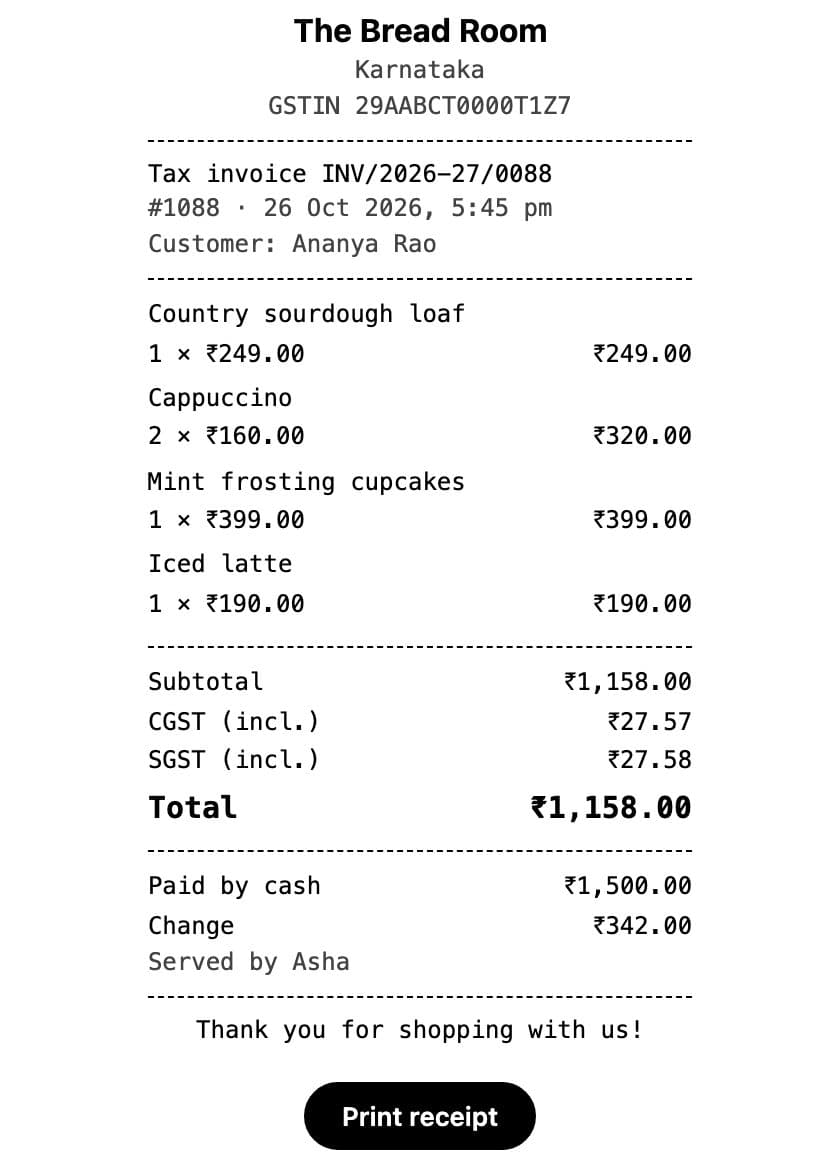
Yes, 80 mm receipts from the browser, with your GSTIN and the tax split.

Made for other businesses too

Set up for your bakery or café in 90 seconds.

Free to start. Next up: Restaurants & hotels →

Start free