All features

Cloudesk Custom objects

Make it fit how you work.

Add the fields your business needs to the records Cloudesk already has — a warranty period on items, a uniform size on employees, a site code on tickets — and make whole new kinds of records, like site visits, licences or samples, numbered and linked to your items, contracts and each other. Rules check what's saved, imports fill thousands at once, and bulk changes can be undone.

Your own records on a phone

Real screenshots from the app, using a demo workspace.

How it works

Three steps, no surprises

  1. 1

    Add fields or an object

    Text, numbers, amounts, dates, lists, yes/no, web links, email, phone — or a link to another record.

  2. 2

    Set the rules

    “When grade is A, warranty must be at least 12 months” — plain conditions, no code.

  3. 3

    Fill it in, in bulk

    On each record, from a spreadsheet, or by picking many records and changing them together.

The tour

Every tool, up close.

  1. 01Your own records

    Track the things only your business has.

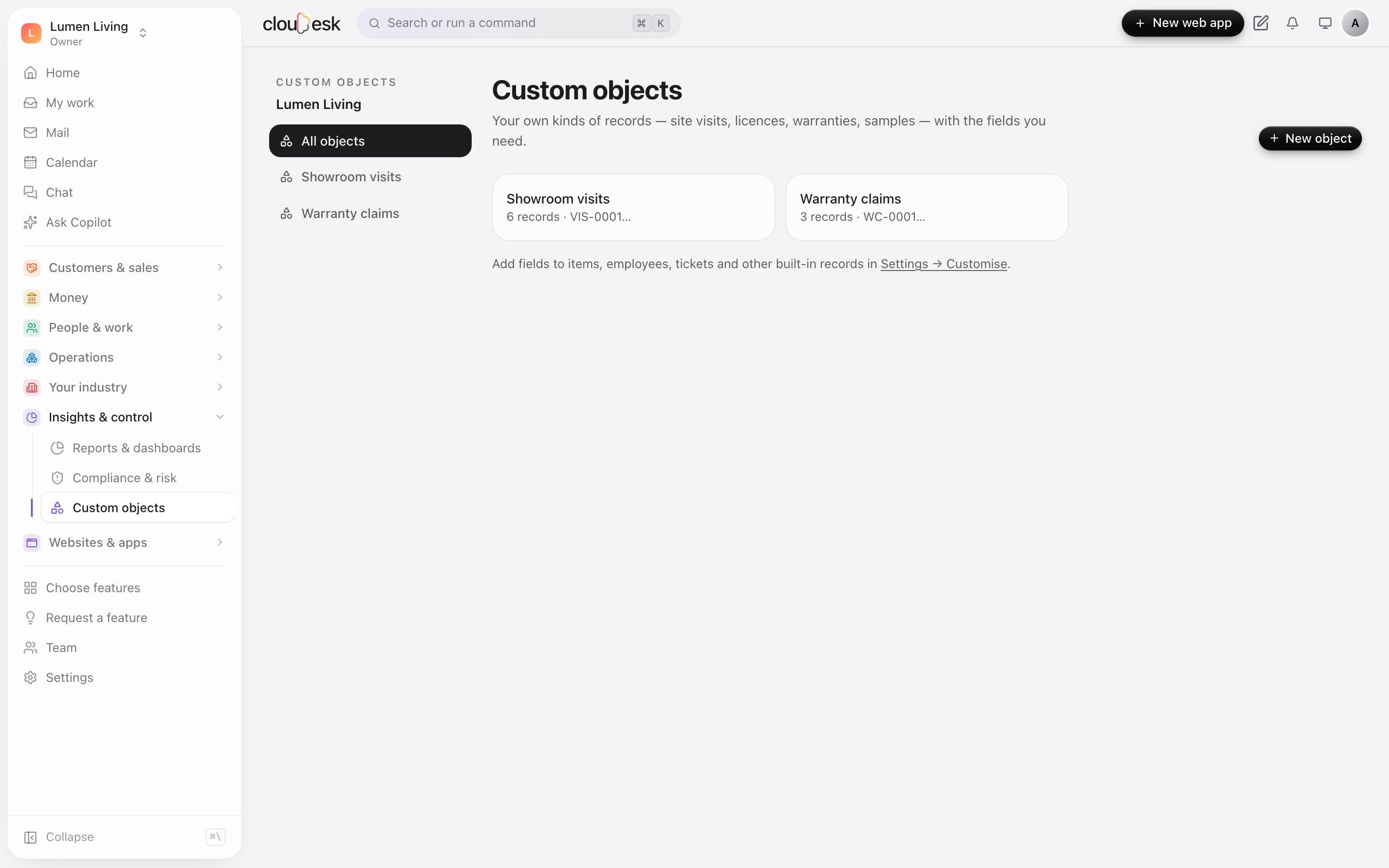
    Make a new kind of record — showroom visits, warranty claims, licences, samples — with exactly the fields you need. Each gets its own list, numbering, search, import and export.

    • Text, numbers, dates, lists, yes/no, web links
    • Link to real items, contacts and more
    • Numbered automatically
    • Import and export as CSV or Excel
    Showroom visits, a custom object, with client, date, linked product, budget and stage
  2. 02Built-in records too

    Add your fields to what's already there.

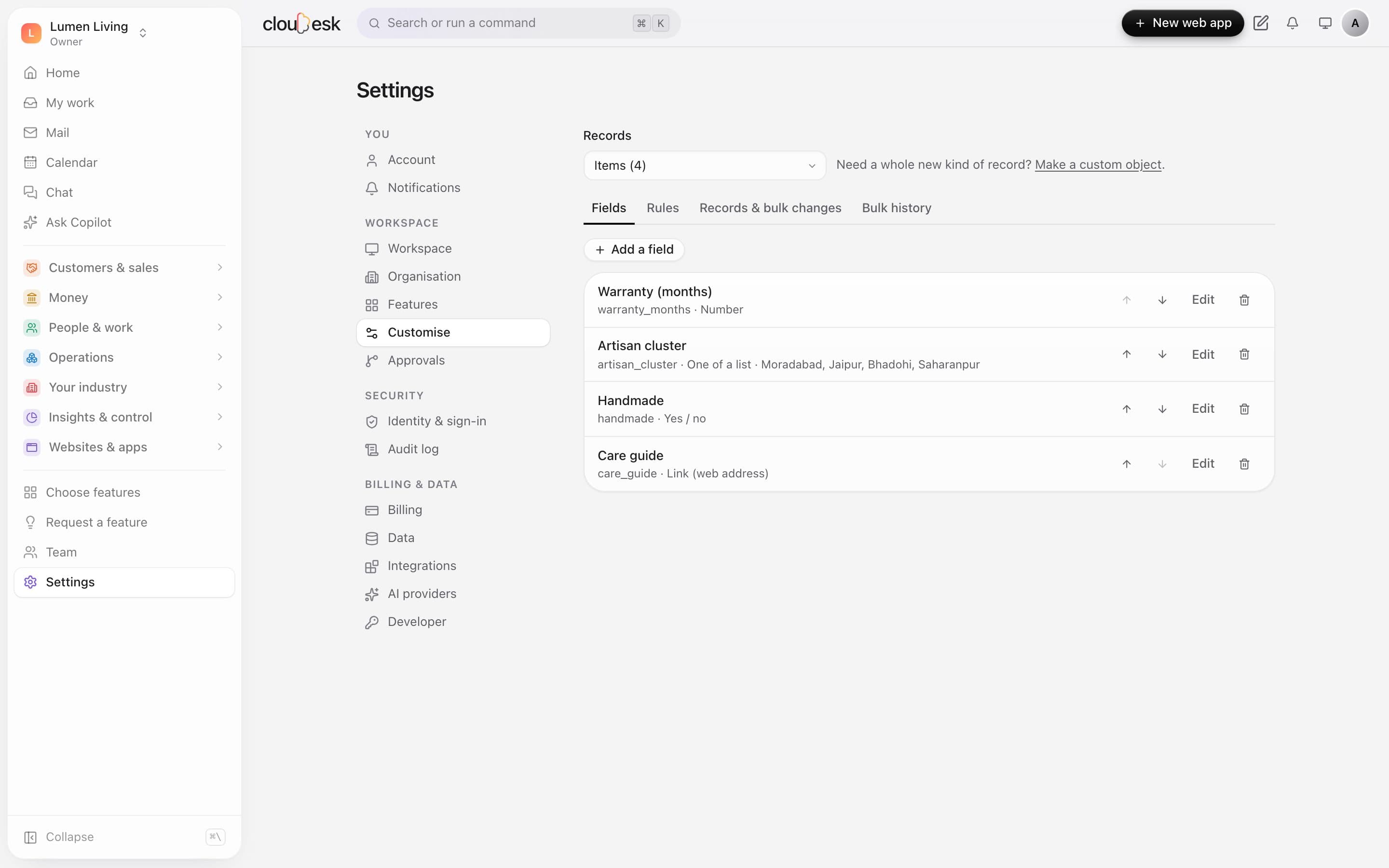
    Items, employees, tickets and other built-in records take your own fields as well. They show on the record's page, alongside everything that links back to it.

    • Reorder, edit or remove fields
    • Bulk changes with undo
    • Values checked as they're saved
    Your own fields on inventory items: number, list, yes/no and link
  3. 03Connected

    Everything links back.

    Link a custom record to a product and the product shows it too — here, the warranty claim and showroom visits for one lamp, next to the fields you added.

    • Your fields on the built-in page
    • Linked records listed automatically
    • One click between them
    An inventory item with its custom fields and the visits and claims linked to it
  4. 04Rules

    Rules that stop mistakes before they're saved.

    Say what must be true — an order needs a visit date, furniture needs a warranty — and a save that breaks it is stopped with your message. Rules apply to edits, bulk changes and imports.

    • When this, then that must be true
    • Your own message
    • Checked on edits, bulk changes and imports
    A rule that stops an order being saved without a visit date

In detail

What you get with Cloudesk Custom objects

On ten kinds of records

Items, suppliers, employees, projects, assets, vehicles, tickets, students, patients and contracts.

Good to know

We'd rather be upfront than surprise you later:

  • Rules check the fields you add (and can look at the record's own fields), when those are saved — not every save of the built-in form.
  • Built-in reports, automations and the ERP API don't read custom fields yet; export them from Settings → Customise.
  • Offline covers site measurements, the site diary and new custom records; other screens need a connection.
  • Data is kept in one region per deployment; there's no per-workspace choice of region.

Questions people ask

What happens to values if I delete a field?+

They're removed from every record — so you're asked to type the field's key first, and a field a rule uses can't be deleted.

Can I change a field's type later?+

Only before any record has a value in it; after that, add a new field.

Works beautifully with

Give it a spin — it's free to start.

Next up: Cloudesk Education →

Start free