All features

Automations & integrations

Let the small jobs do themselves.

When a form is sent, an order is paid or a booking is made — email someone, ping Slack, call your system, wait, check a condition. Connect the tools you already use.

Automations on a phone

Real screenshots of automations on a demo spa. The runs come from bookings and enquiries made on its live site.

How it works

Three steps, no surprises

  1. 1

    Pick a trigger

    A form, an order, a booking, a schedule or an incoming webhook.

  2. 2

    Add the steps

    Email, HTTP calls, Slack messages, delays and conditions — in order.

  3. 3

    Turn it on

    Runs are retried if something fails, and you can see every run's history.

The tour

Every tool, up close.

  1. 01Set and forget

    When something happens, the next step happens by itself.

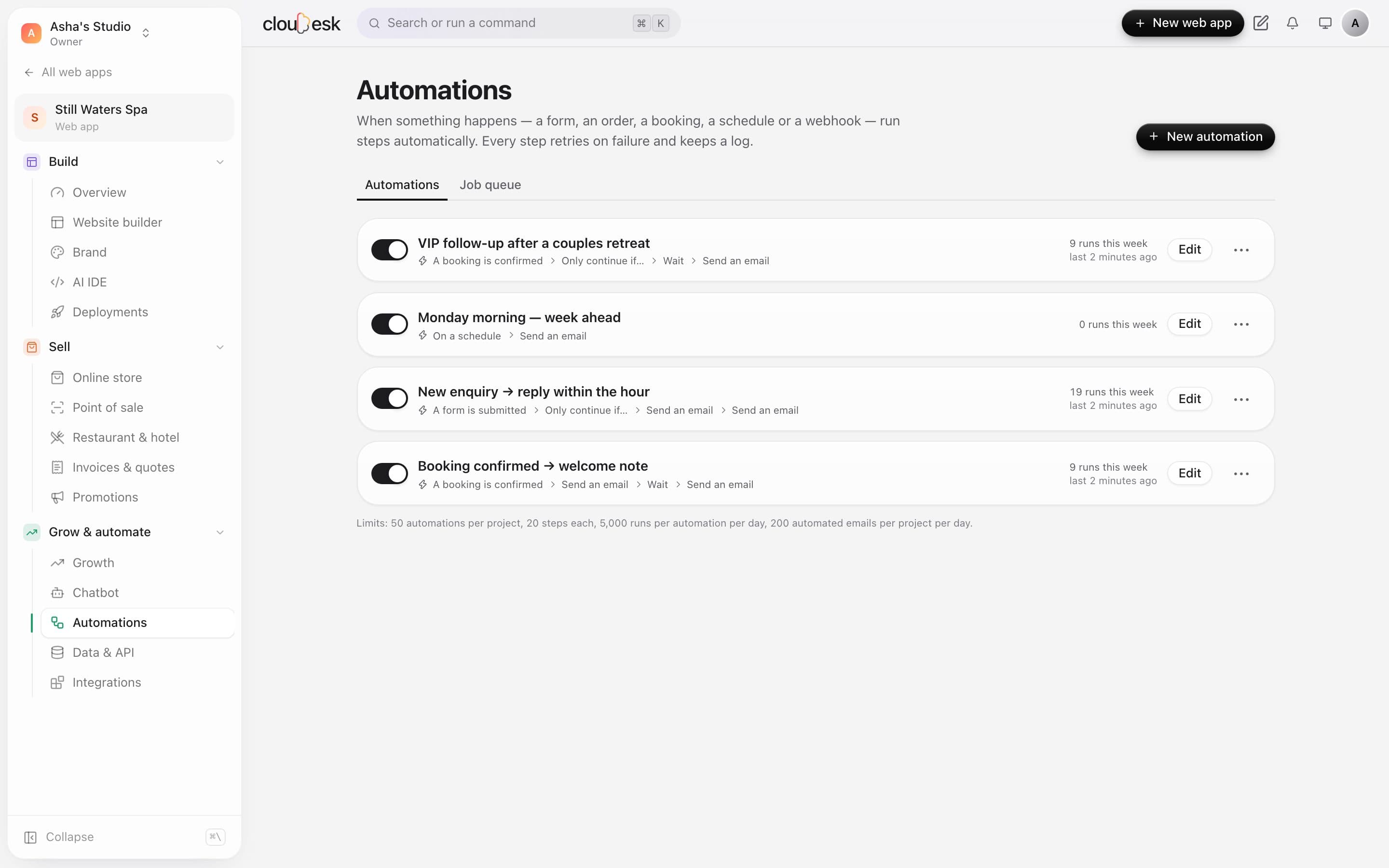
    A booking, a form, an order, a schedule or a webhook can start an automation. Each one shows its trigger, its steps and how it's been running.

    • Bookings, forms, orders, schedules and webhooks
    • Switch any automation on or off
    • Runs this week, at a glance
    The automations list with triggers, steps and runs
  2. 02Build it in plain words

    When this happens, then do that. No code.

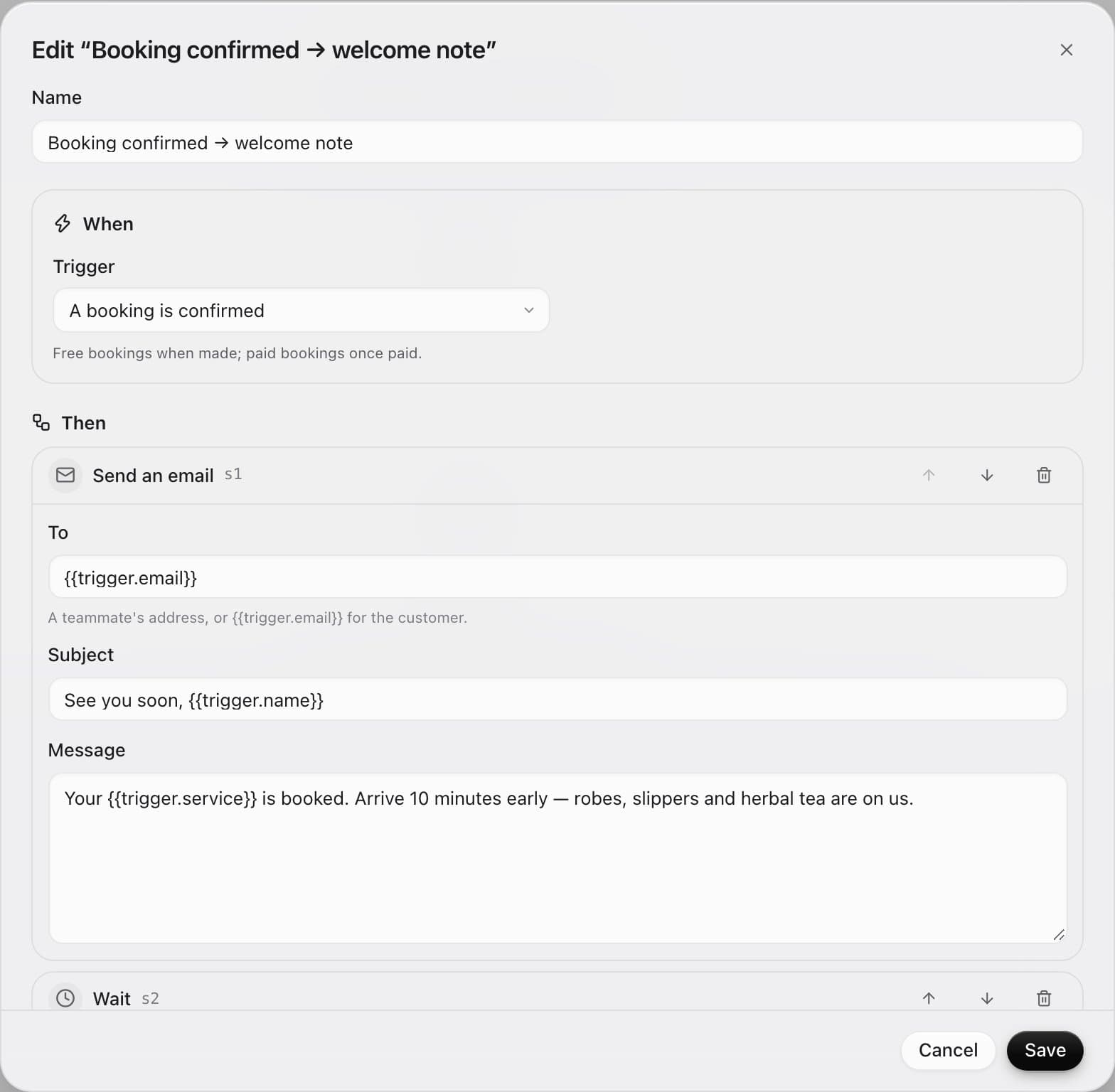
    Pick a trigger, add steps — send an email, wait, check a condition, call a webhook or post to Slack — and fill in details from the booking or form.

    • Up to 20 steps per automation
    • Placeholders like {{trigger.name}}
    • Emails only to your team, or the customer who acted
    Editing an automation: when a booking is confirmed, send an email, then wait
  3. 03Every run, logged

    See what ran, what's waiting and what failed.

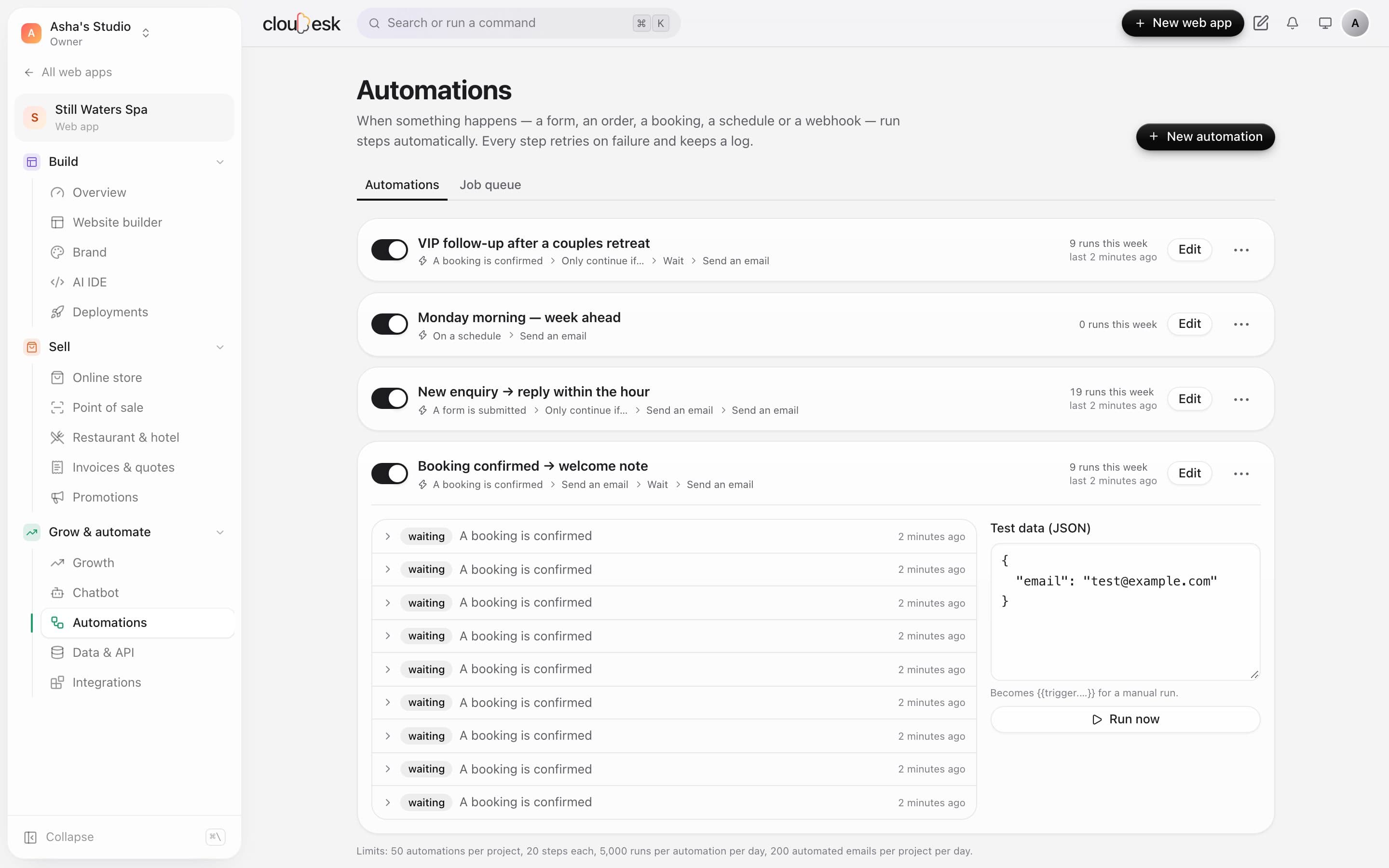
    Each run keeps a step-by-step log. Waiting runs pick up where they left off, failed steps retry, and you can test with sample data any time.

    • Step-by-step logs
    • Automatic retries
    • Run now with test data
    An automation's runs, waiting on their delay step, with test data

In detail

What you get with Automations & integrations

Works with your tools

Slack, Discord, Telegram, Mailchimp, outgoing webhooks and WhatsApp.

Good to know

We'd rather be upfront than surprise you later:

  • Each connected service needs your own account with it.
  • Plans limit how many automations each project can have.

Questions people ask

Do I need to code?+

No — automations are built from simple steps. Developers can go further with the API.

What happens if a step fails?+

It's retried automatically, and you can see the error and retry it yourself.

Works beautifully with

Give it a spin — it's free to start.

Next up: Site chatbot →

Start free