All features

Site chatbot

A helper on your site that only says true things.

Your chatbot answers from your pages, products and policies, shows where each answer came from, and hands the conversation to you when it should.

The chatbot on a phone

Real screenshots of the chatbot on a demo spa, in search mode — no AI provider is connected, so it quotes matching answers.

How it works

Three steps, no surprises

  1. 1

    It reads your site

    Pages, products, FAQs and policies become its knowledge — nothing made up.

  2. 2

    Visitors ask

    “Do you ship to Pune?” It answers with a source link, or says it doesn't know.

  3. 3

    You step in

    Conversations can be handed over to your team when a human is better.

The tour

Every tool, up close.

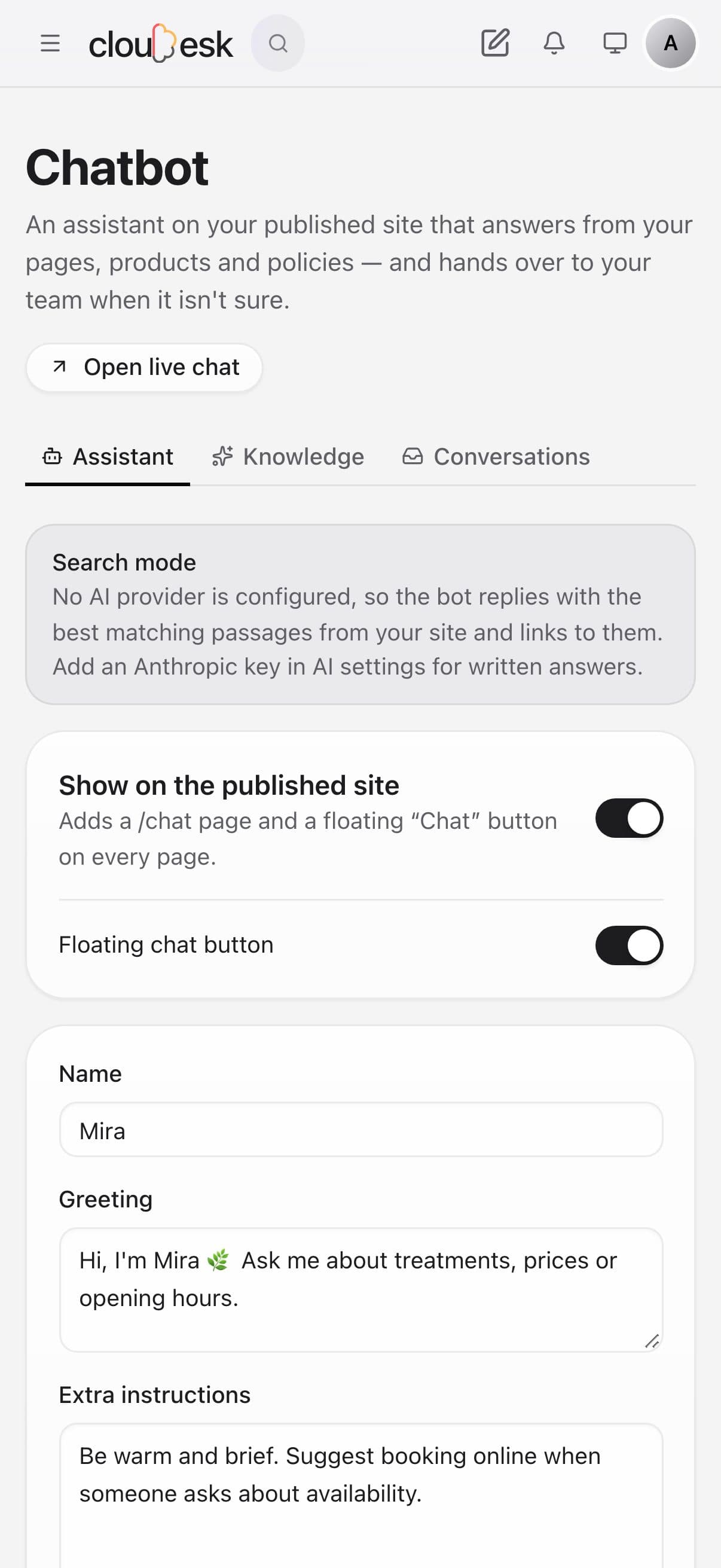
  1. 01Your assistant

    An assistant that only says what's true about you.

    It answers from your pages, products and notes — and shows where each answer came from. Try it in the test console before switching it on.

    • A name, greeting and instructions of your own
    • A chat page and a floating button on your site
    • Without AI, it quotes the best matching answers
    The assistant settings with the test console
  2. 02Knowledge

    It learns from your site. You add the rest.

    Your pages, products and store policies are kept in sync automatically. Add notes like an FAQ, or a web page, for anything else.

    • Pages, products and policies stay in sync
    • Add notes or web pages
    • See how many passages each source gave
    Knowledge sources: website pages, products, store policies and notes
  3. 03Conversations

    Read every chat. Step in when it needs a person.

    Every conversation is saved. Reply yourself from the inbox, and visitors can ask to talk to a person — that goes to your hand-over email.

    • Every conversation in one inbox
    • Reply, or reply and close
    • Hand-over to your team by email
    The conversations inbox with a reply box

In detail

What you get with Site chatbot

Answers with sources

Every answer cites the page it came from, so visitors can check.

Good to know

We'd rather be upfront than surprise you later:

  • Written answers need an AI provider key; meaning-based search needs a Voyage AI key.

Questions people ask

Will it make things up?+

It's told to answer only from your content and to say when it doesn't know — and it shows its sources.

Can I turn it off?+

Yes, any time, from the project's Chatbot page.

Works beautifully with

Give it a spin — it's free to start.

Next up: Data tables & API →

Start free