All features

Bookings

Appointments without the endless “are you free at 4?”

Services, opening hours and time slots your customers book themselves — with reminders, calendar invites, and payment online or at the visit.

Choosing a time to book, on a phone

Real screenshots of bookings, using a demo spa and bookings made through its booking page.

How it works

Three steps, no surprises

  1. 1

    Add your services

    Haircut, consultation, yoga class — with duration, price and how many people per slot.

  2. 2

    Set your hours

    Opening hours and time zones, with buffer time between bookings so you can breathe.

  3. 3

    Share your booking page

    Customers pick a slot at /book, pay if you like, and get reminders automatically.

The tour

Every tool, up close.

  1. 01Your day

    Every appointment, by day, with the details that matter.

    Who's coming, for what, at what time, and anything they told you. Mark a visit paid, completed or a no-show in one click.

    • Grouped by day in your time zone
    • Notes from the customer, right on the booking
    • Paid at visit, completed, no-show or cancel
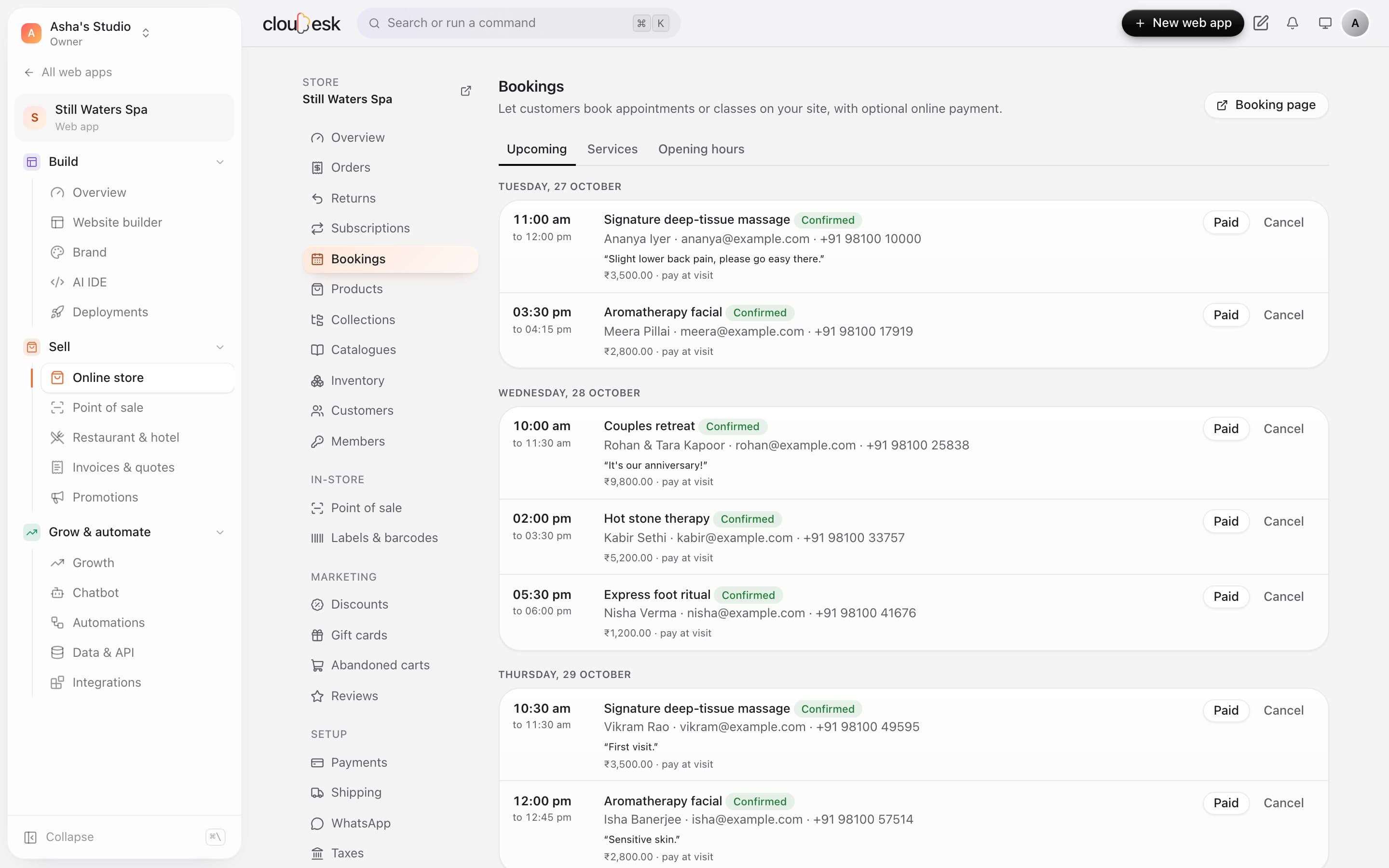
    Upcoming bookings for Friday, Saturday and Sunday
  2. 02Services

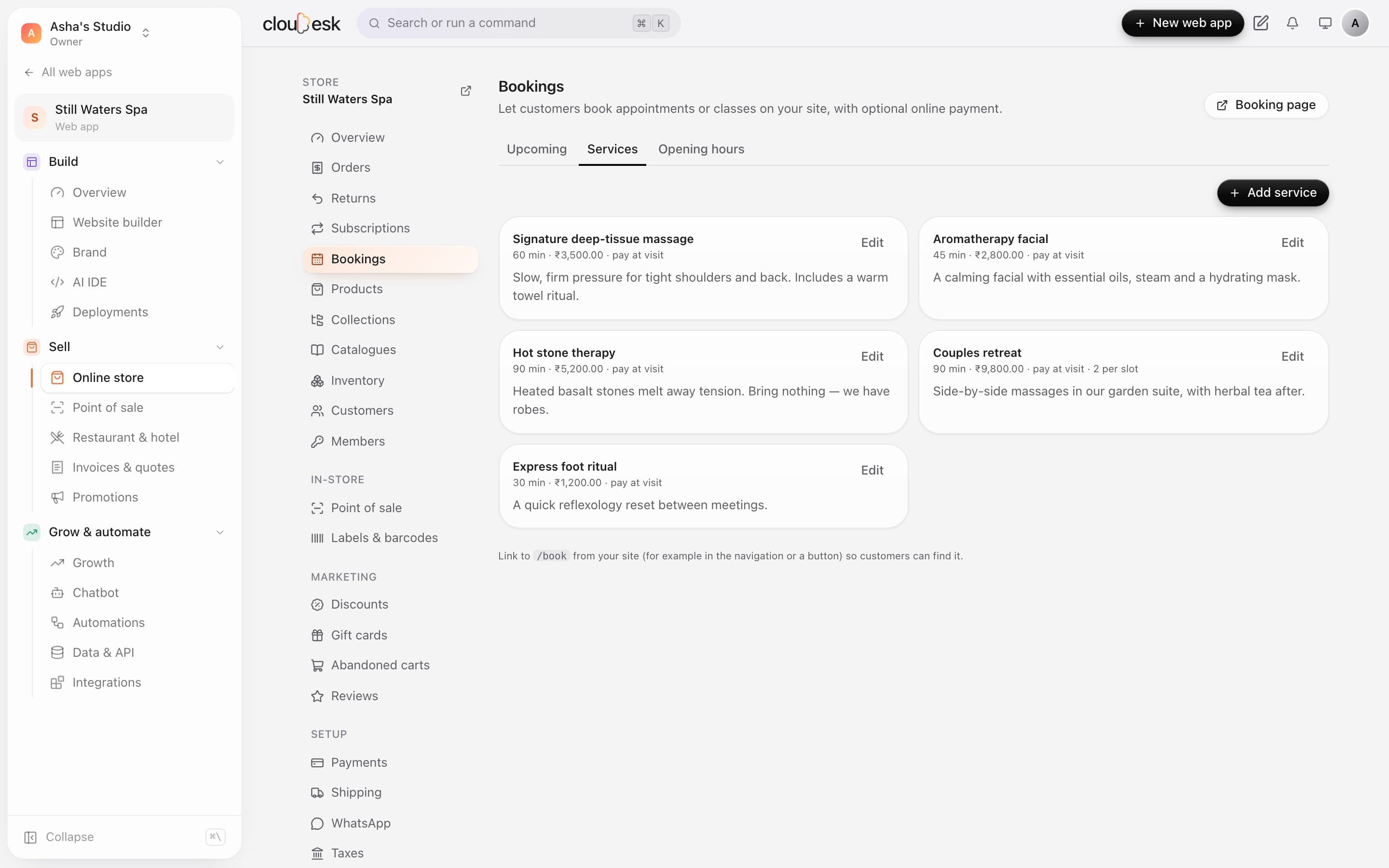
    Set it up once: duration, price, buffer time.

    Each service has its own length, price and gap before the next booking. Couples or group sessions can take more than one person per slot.

    • Durations from 15 minutes to a full day
    • Buffer time between appointments
    • Pay online, or pay at the visit
    Spa services with duration, price and how they're paid
  3. 03Opening hours

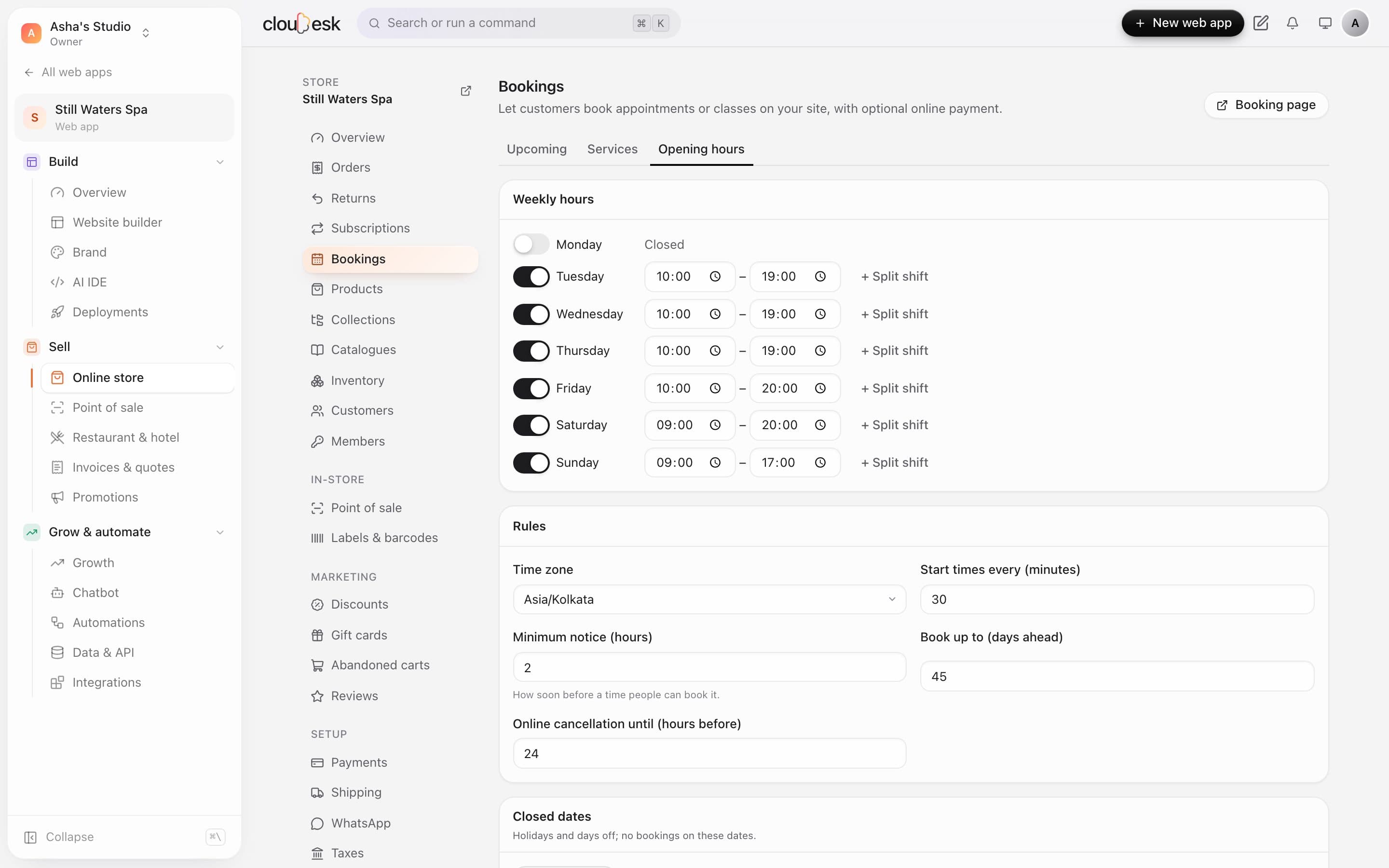
    Your hours, your rules. Nobody books a time you can't do.

    Set opening hours per day, split shifts and closed dates. Choose how much notice you need and how far ahead people can book.

    • Split shifts for lunch breaks
    • Minimum notice and how far ahead
    • Holidays and days off
    Weekly opening hours and booking rules
  4. 04Your booking page

    A booking page that looks like your website — because it is.

    Customers pick a service, a day and a free time, then confirm with their name and number. No app to download, no account to make.

    • Only genuinely free times are shown
    • In your fonts and colours
    • Works beautifully on phones
    Choosing a day and a time for hot stone therapy
  5. 05Booked

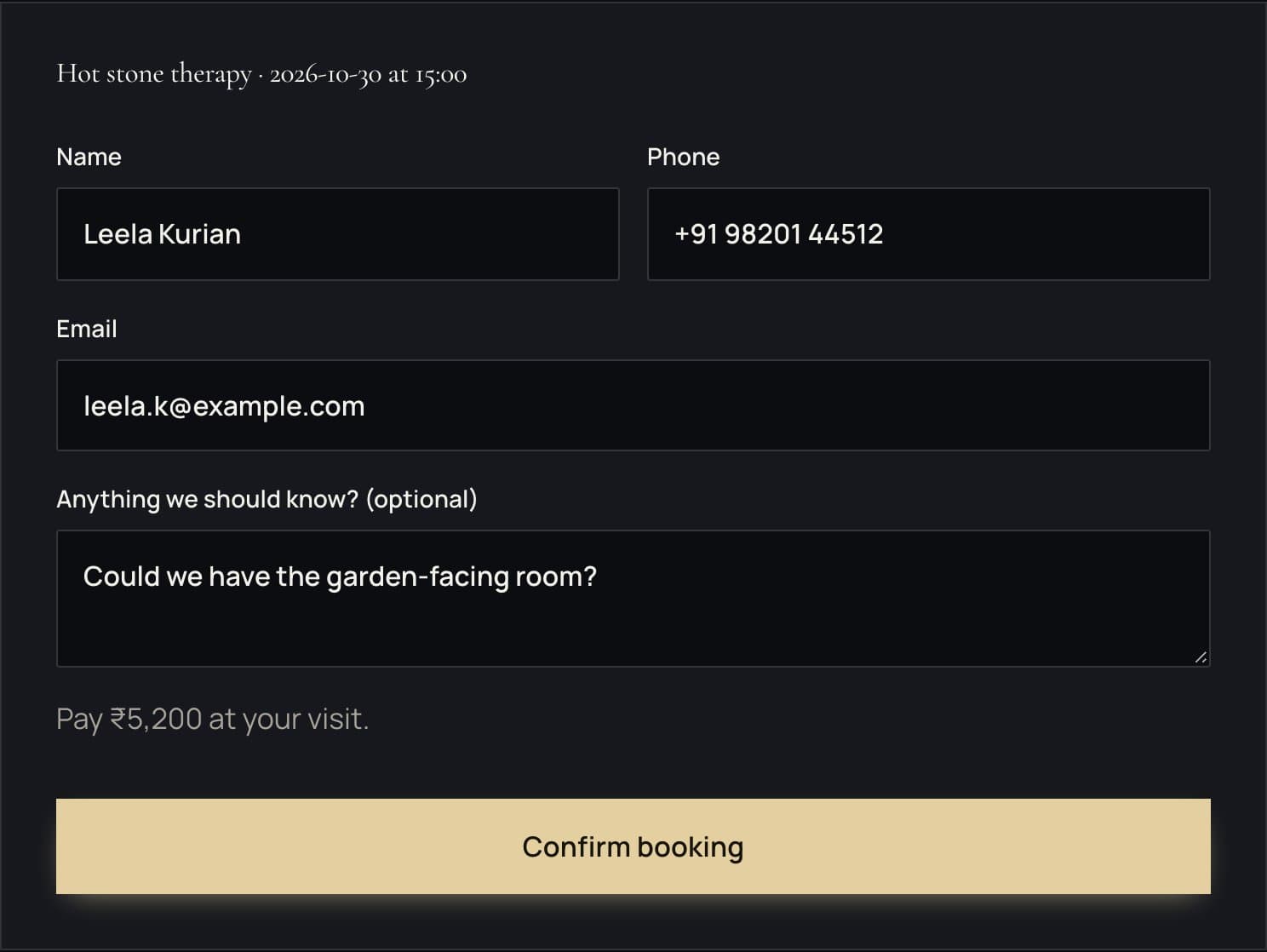
    Confirmed in seconds, in their calendar in one tap.

    Customers get a confirmation page and email with add-to-calendar links, and can cancel online within your rules.

    • Google Calendar and calendar-file links
    • Online cancellation up to your cut-off
    • Starts your automations, like a welcome note
    The booking form: name, phone, email, notes and Confirm booking

In detail

What you get with Bookings

Appointments and classes

One-on-one or group sessions with a capacity per slot.

Good to know

We'd rather be upfront than surprise you later:

  • Reminder emails need an email service set up on the server.

Questions people ask

Can customers cancel?+

Yes, from the link in their confirmation — and you can cancel from your side too.

Does it work for classes?+

Yes — set a capacity per slot and several people can book the same time.

Works beautifully with

Give it a spin — it's free to start.

Next up: Promotions & recovery →

Start free