All features

Cloudesk Logistics & fleet

Every consignment, from the dock to the door.

Ship delivery challans from Sales with a transporter (LR number) or courier (AWB), or load them onto a trip in your own vehicle. Freight is worked out from each carrier's rate card, the status is kept as it moves, the customer can follow it on a tracking page, and proof of delivery closes the challan. Your vehicles' insurance, PUC and permits are flagged before they lapse, and the fuel log shows real mileage and cost per kilometre.

Logistics and fleet on a phone

Real screenshots from the app, using a demo workspace.

How it works

Three steps, no surprises

  1. 1

    Ship it

    Pick the challans going to one customer, choose a carrier or your own fleet, and enter the weight and boxes. Freight is estimated from the rate card for that lane.

  2. 2

    Move it

    Picked up, in transit, out for delivery, held up — each step is kept with a note, and the customer's tracking page shows it.

  3. 3

    Close it

    Record who received it. The challan is marked delivered in Sales, and on-time delivery is counted against the promised day.

The tour

Every tool, up close.

  1. 01At a glance

    What's on the move, and what needs renewing.

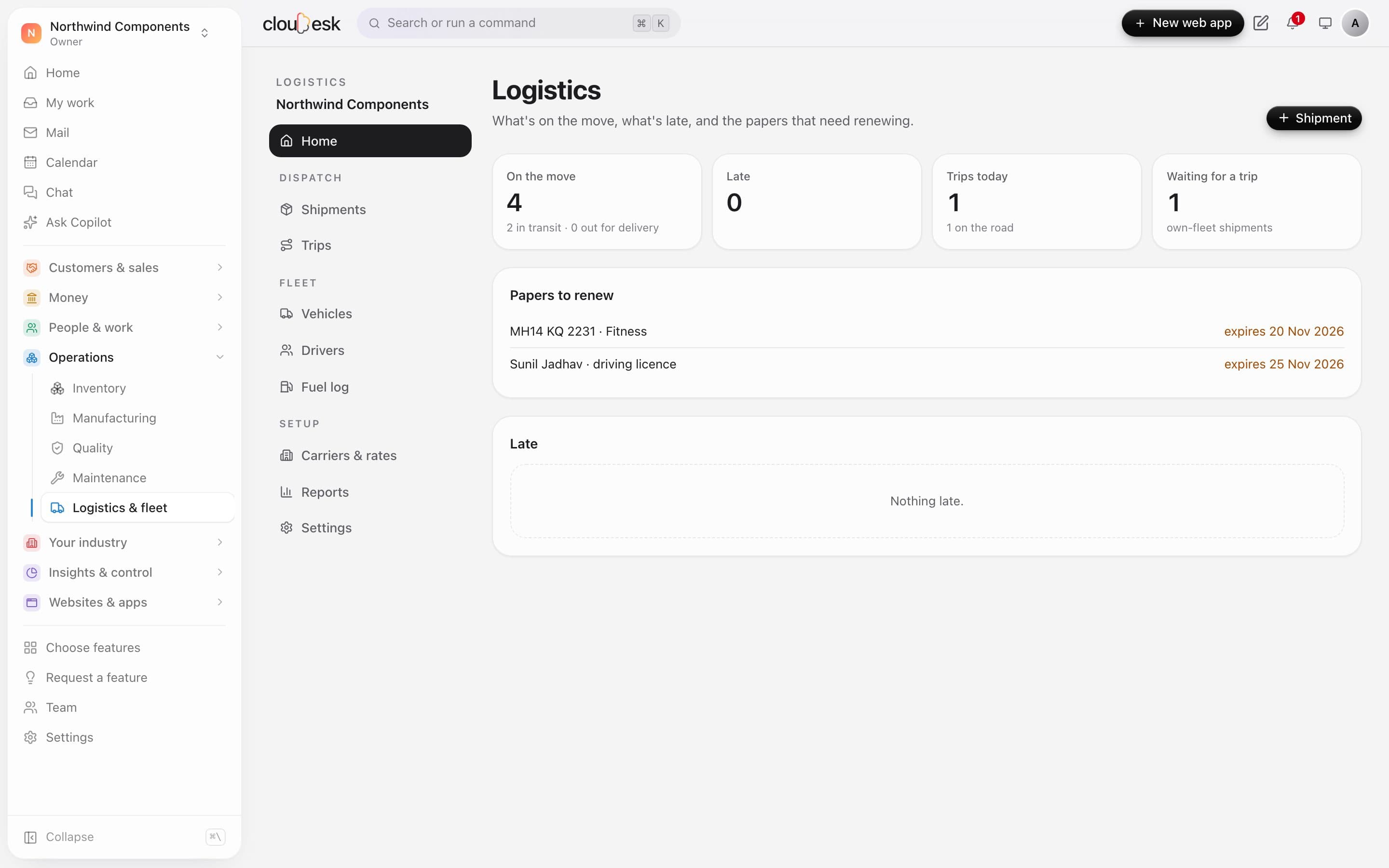
    See shipments in transit, late ones, today's trips and shipments waiting for a vehicle. Vehicle papers and driving licences about to expire are listed too.

    • Shipments on the move and late
    • Trips on the road today
    • Papers and licences to renew
    Logistics home with shipments on the move, trips and papers to renew
  2. 02Shipments

    By transporter, courier or your own trucks.

    Ship delivery challans by carrier with an LR or tracking number, or on your own vehicles. Each shipment moves from planned to delivered, and the customer gets a tracking page.

    • LR and tracking numbers
    • Proof of delivery with who received it
    • A tracking page for the customer
    Shipments list with carriers, LR numbers and status
  3. 03Carriers & rates

    Freight worked out from your rate cards.

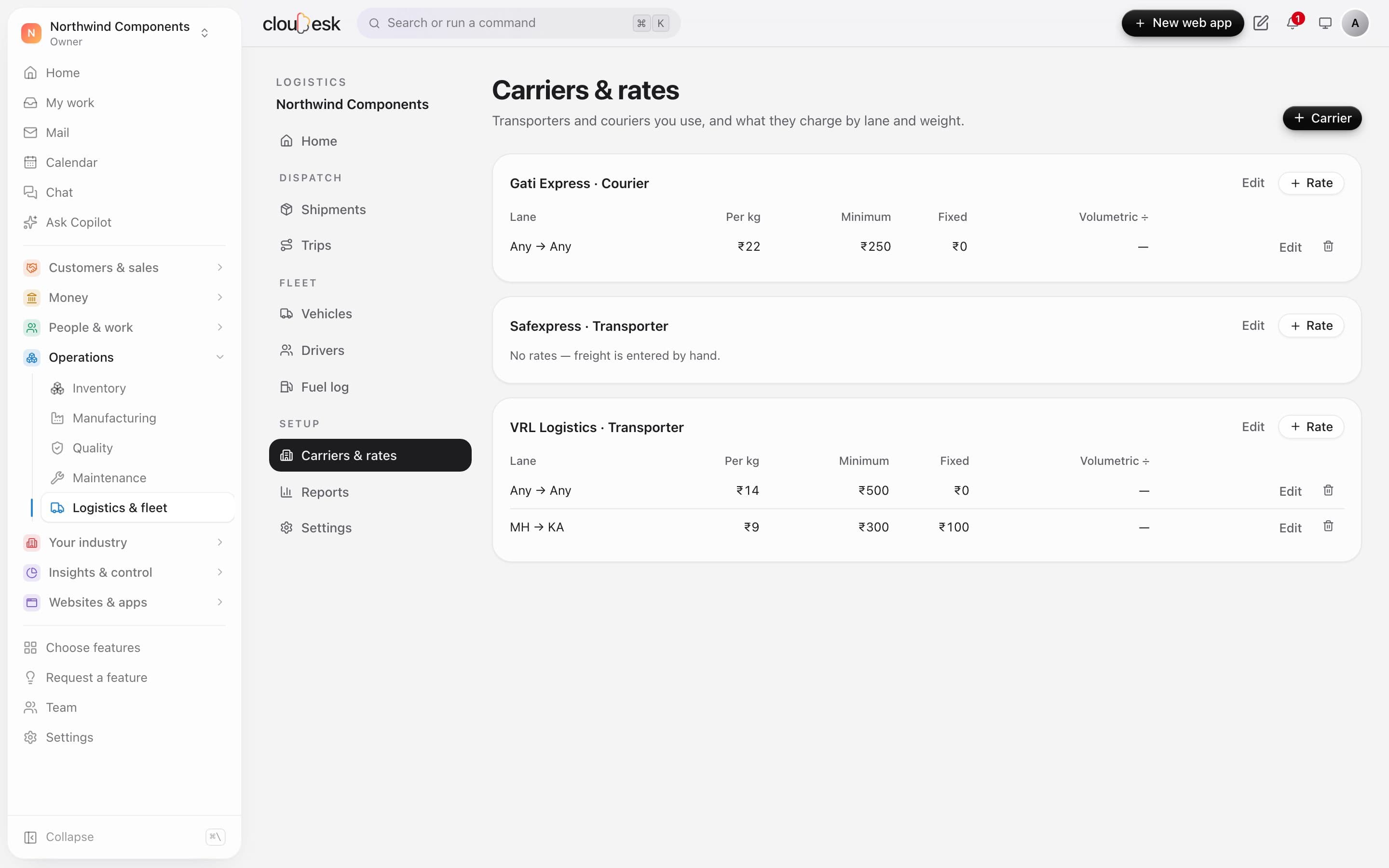
    Keep each carrier's rates by lane: per kg, a minimum and a fixed charge. A new shipment estimates its freight from the matching rate.

    • Rates by state-to-state lane
    • Per kg, minimum and fixed charges
    • Freight paid from your books
    Carriers with their rate cards by lane
  4. 04Your fleet

    Mileage and cost per km, from the fuel log.

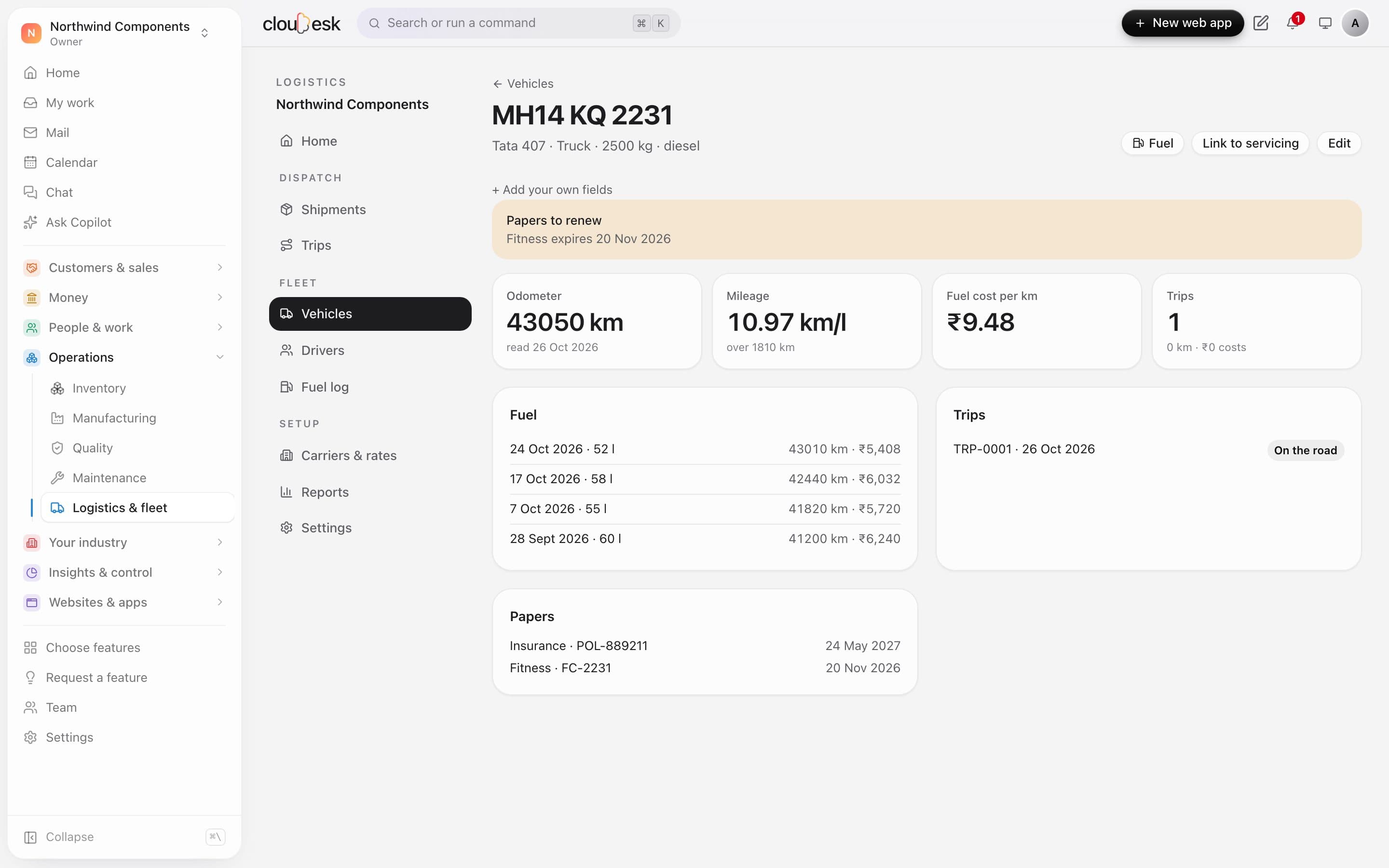
    Log fuel with the odometer and each vehicle shows its mileage and fuel cost per kilometre. Insurance and fitness papers are tracked with their expiry dates.

    • Mileage from full-tank fills
    • Fuel cost per km
    • Trips with odometer readings
    A truck with its mileage, fuel log, trips and papers

In detail

What you get with Cloudesk Logistics & fleet

Rate cards

Per carrier and lane (state to state, or any), rate per kg, minimum and fixed charges, and volumetric weight for couriers.

Good to know

We'd rather be upfront than surprise you later:

  • Courier and transporter tracking isn't pulled from their systems — update the status yourself, or open the carrier's own tracking link from the shipment.
  • There's no route optimisation or live GPS; stops are in the order you set. E-way bills are generated in Accounting and their number recorded here.
  • Freight charged to customers is recorded on the shipment; add it to the invoice as a line.

Questions people ask

How is freight worked out?+

From the carrier's rate card for the lane — the most specific match of from-state and to-state — the chargeable weight (actual or volumetric, whichever is more) times the rate per kg, at least the minimum, plus any fixed charge. You can change it on the shipment.

How is mileage measured?+

Between two fills to the top, the kilometres driven divided by the litres put in at the second fill. Partial fills in between are added to the next full one.

Works beautifully with

Give it a spin — it's free to start.

Next up: Cloudesk Reports & dashboards →

Start free